Live streaming has evolved far beyond webcam and internet connection. Today, professional Live Stream Production powers everything from election coverage and sports broadcasts to webinars, product launches, gaming tournaments, and corporate events. Viewers now expect smooth transitions, high-quality visuals, synchronized graphics, real-time updates, and uninterrupted delivery across multiple streaming platforms.
What many creators and production teams discover too late is that live streaming is not just about “going live.” It is a combination of technical planning, production strategy, audience experience, and operational reliability. Even a minor issue like audio desynchronization, bitrate instability, or delayed overlays can impact viewer trust instantly.
Most online “live streaming checklist” guides focus only on equipment lists instead of explaining how a complete live streaming setup actually works. They tell you what camera or microphone to buy, but they rarely explain how the entire workflow fits together. Professional live video production requires decisions that depend on the type of stream, the audience, the platform, and the scale of production.
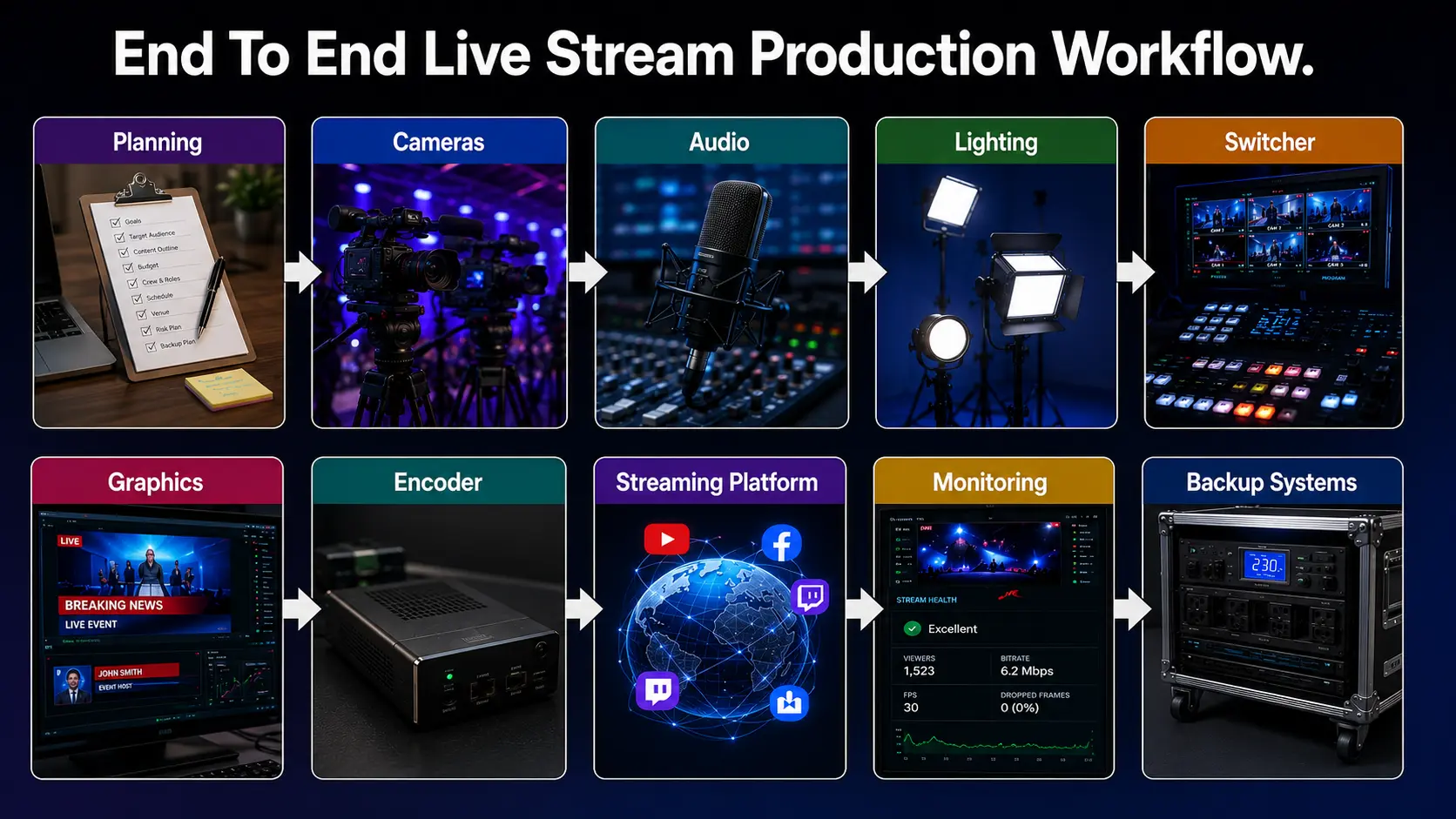
This guide approaches live stream production differently. Instead of giving a generic setup list, it walks through the complete workflow from planning and camera setup to encoding, graphics integration, monitoring, and backup systems. Whether you are producing webinars, live events, election coverage, corporate broadcasts, or gaming streams, this article will help you build a more reliable and scalable Live Stream Production workflow and streaming operation.
Why Pre-Production Matters More Than Most People Think
The biggest mistake in live stream production is assuming the stream begins when the “Go Live” button is pressed. In reality, successful live streaming starts days or even weeks earlier during the planning stage.
Define the Real Goal of the Stream
Every stream serves a different purpose. Some streams aim to educate viewers, while others focus on engagement, monetization, or real-time information delivery. The production workflow changes depending on that objective.
For example, a webinar requires clean audio, readable slides, and stable screen sharing. A live concert or event needs multiple camera angles, dynamic switching, and immersive visuals. Election broadcasts depend heavily on real-time graphics, data overlays, and ultra-fast information updates.
Without defining the stream’s objective first, teams often overcomplicate the setup or invest in the wrong equipment.
Align the Stream with the Audience and Platform
Different streaming platforms create different viewer expectations.
Viewers on YouTube are comfortable with longer streams and higher-resolution playback. Instagram audiences expect faster pacing and mobile-friendly framing. Gaming audiences on Twitch often prioritize low latency and interactivity over cinematic production.
Audience expectations influence several technical decisions, including:
- Resolution and frame rate
- Stream duration
- Graphics style
- Viewer interaction tools
- Latency settings
Professional live stream production is not only about equipment quality; it is also about platform optimization.
Build a Proper Run of Show (ROS)
A Run of Show document acts as the operational blueprint for the live production team. It outlines segment timing, transitions, sponsor integrations, graphic triggers, camera switches, and contingency plans.
This becomes especially important in multi-segment streams like conferences, elections, and news broadcasts. A detailed ROS minimizes confusion during live production and improves coordination between operators, presenters, graphics teams, and technical directors.
Timing buffers are equally important. Live productions almost always face delays, technical adjustments, or unexpected transitions. Teams that fail to plan for timing flexibility usually experience rushed segments and production errors.
Internet Planning Is More Important Than Camera Quality
Many Live Stream Production workflows fail not because of poor cameras but because of unstable internet connectivity.
Upload speed should always exceed the required streaming bitrate by a safe margin. If your stream requires 8 Mbps upload, relying on a 10 Mbps connection is risky. Professional live streaming setups usually maintain at least double the required upload speed.
Redundancy is equally critical. Serious live productions often use:
- Primary wired internet
- Secondary ISP connection
- 4G or 5G backup hotspot
- Bonded internet solutions
Camera Setup: Building the Visual Foundation
Video quality heavily influences viewer perception. Audiences may tolerate moderate compression, but poor framing, motion blur, or inconsistent camera switching quickly make a stream appear unprofessional.
Choosing the Right Camera for Your Workflow
Different productions require different camera types. Mirrorless cameras are popular for solo creators and webinars because they offer strong image quality with relatively compact setups. Camcorders are preferred in longer event productions because of unlimited recording capabilities and reliable thermal performance.
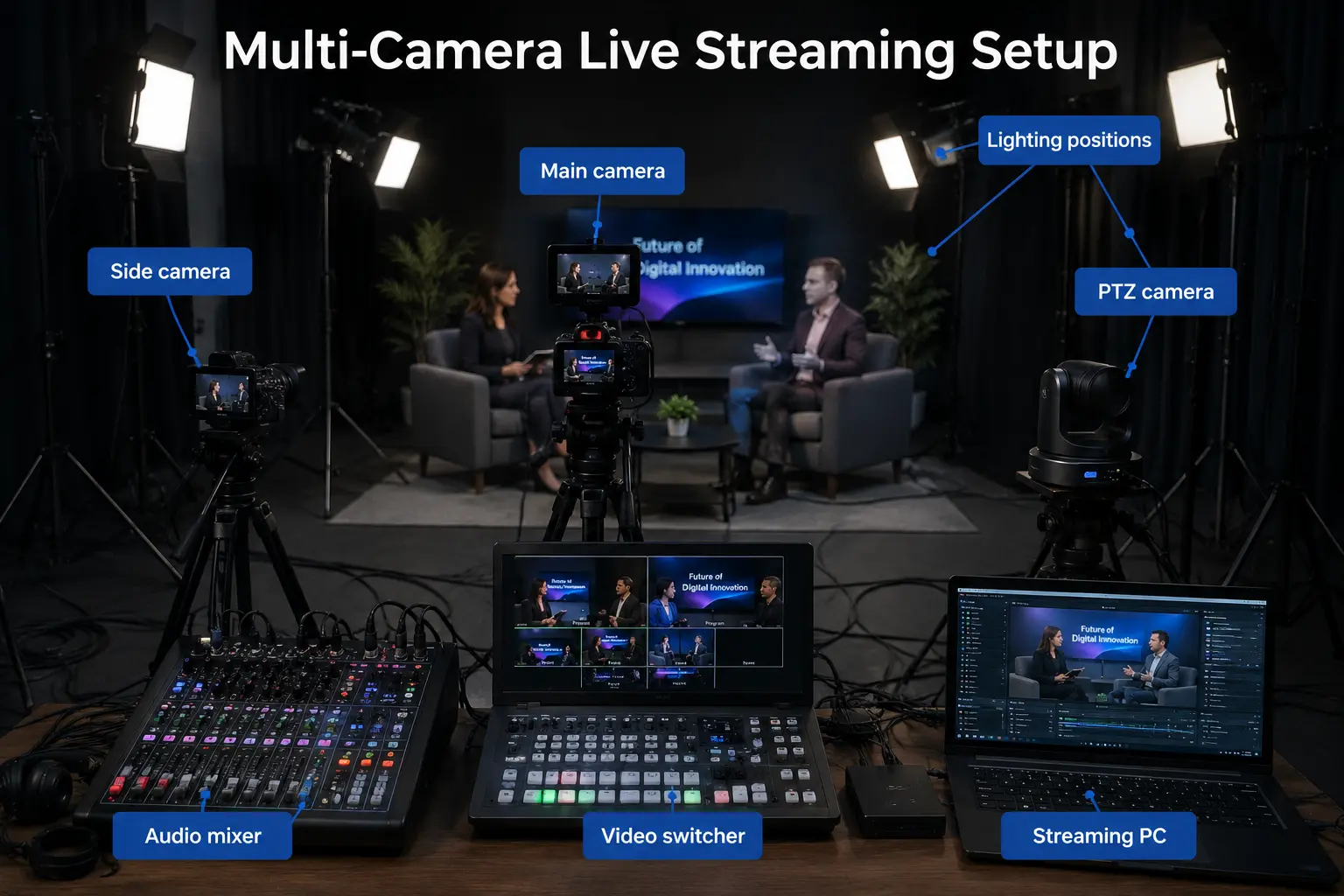
PTZ cameras have become increasingly common in professional live stream production because they allow remote camera control, preset movement, and multi-angle coverage with fewer operators.
For larger studio environments, multi-camera live video production workflows provide significantly more visual engagement than static single-camera streams.
Camera Settings That Affect Live Streaming
Many beginners focus only on resolution, but live streaming quality depends on several interconnected settings.
1080p remains the most practical streaming resolution for most productions because it balances quality and bandwidth efficiency. Some professional setups shoot in 4K and downscale to 1080p for sharper output.
Frame rate decisions also matter:
- 30fps works well for webinars and interviews
- 60fps is better for sports, gaming, and fast-motion events
Shutter speed directly affects motion clarity. Incorrect shutter settings create unnatural blur or jitter, especially during camera movement.
Color consistency between cameras is another overlooked issue in multi-camera live video production. If white balance settings differ between cameras, switching angles becomes visually distracting.
Multi-Camera Production Is About Storytelling
Professional camera switching is not random. Every camera angle should support the narrative flow of the stream.
Wide shots establish context, close-ups create emotional engagement, and reaction shots improve pacing. Smooth transitions between angles help maintain viewer attention without overwhelming the audience.
Synchronization becomes increasingly important as more cameras are added. Delayed video feeds can create switching inconsistencies and lip-sync problems. Hardware synchronizers or software timing adjustments are often required in advanced productions.
Audio Setup: The Most Important Part of Live Stream Production
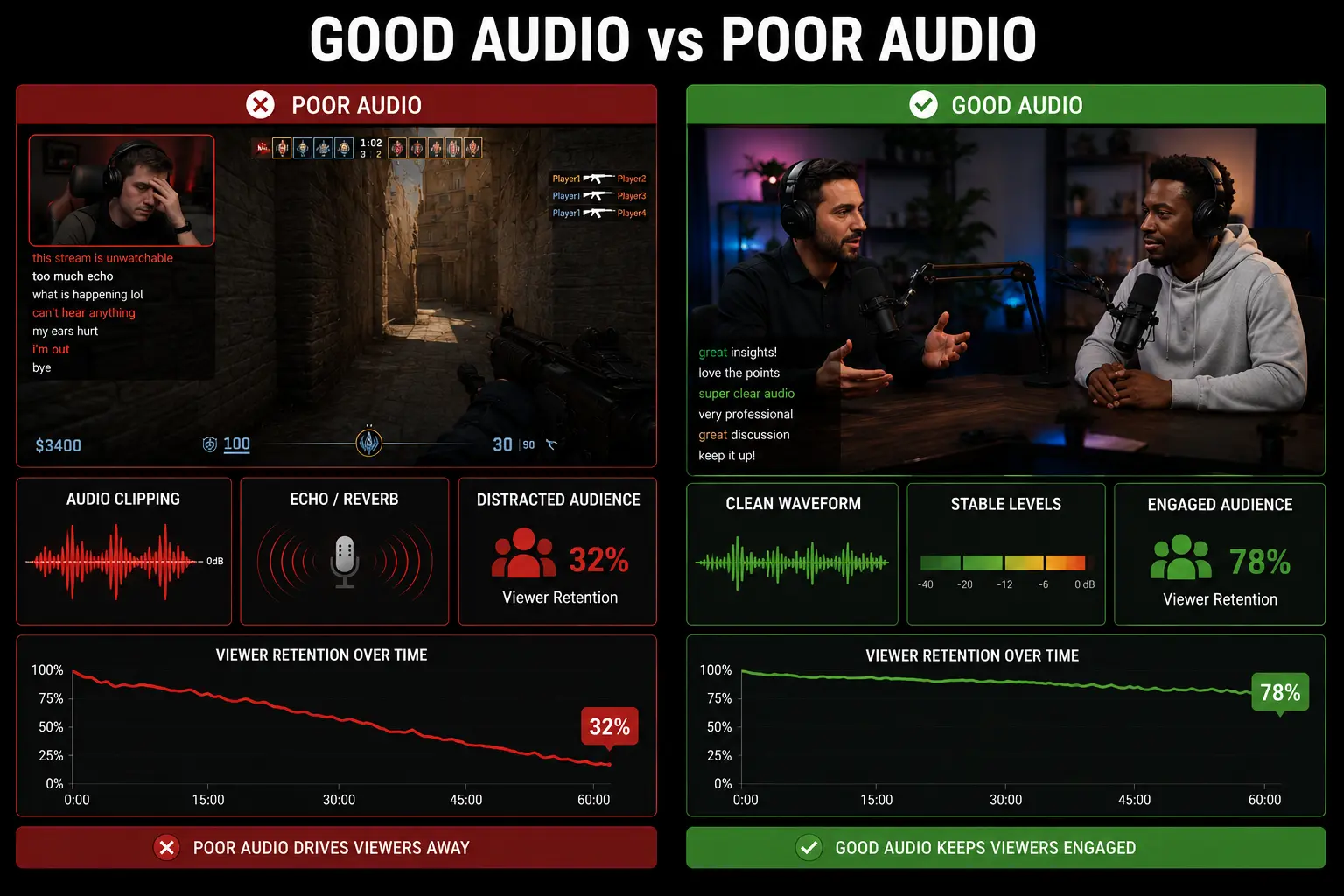
Audiences will tolerate average video quality much longer than poor audio quality in any professional Live Stream Production environment. If viewers cannot clearly hear the presenter, commentator, or speaker, they leave quickly regardless of how good the visuals look.
Choosing the Right Microphone
Different microphone types solve different production challenges.
Lavalier microphones work well for presentations, interviews, and mobile speakers because they remain discreet and maintain consistent audio levels.
Shotgun microphones are useful in controlled environments where the speaker remains within a specific pickup area.
USB microphones are common for solo streaming setups, while XLR microphones are preferred in professional environments because they provide cleaner audio routing and better scalability.
Audio Mixing and Gain Staging
One of the most common live streaming mistakes is improper gain staging.
If input levels are too low, noise becomes noticeable. If levels are too high, clipping distorts the signal permanently.
Professional live stream production workflows often use hardware audio mixers or digital mixing consoles to manage multiple microphones, playback devices, and remote guests simultaneously.
Real-Time Audio Monitoring
Audio problems must be detected instantly because viewers notice them immediately. Real-time monitoring allows operators to catch:
- Echo issues
- Background noise
- Distortion
- Latency problems
- Missing audio feeds
Monitoring should happen throughout the production, not just during the setup.
Lighting: The Fastest Way to Improve Production Quality
Lighting dramatically changes how professional a stream appears. Even expensive cameras perform poorly under bad lighting conditions.
The Importance of 3-Point Lighting
The standard three-point lighting setup remains effective because it creates depth and subject separation. The key light provides primary illumination; the fill light softens shadows, and the backlight separates the subject from the background. This setup instantly improves perceived production quality.
Environment-Specific Lighting
Indoor studio productions benefit from controlled lighting environments, while outdoor productions must adapt to changing natural light conditions. Low-light environments create image noise and inconsistent skin tones. Proper lighting minimizes these issues before the signal even reaches the encoder.
Common Lighting Mistakes
Overexposure is one of the most common issues in beginner live streaming setups. Bright highlights reduce detail and create an artificial appearance.
Mixed color temperatures also create inconsistent visuals. Combining daylight-balanced and tungsten lighting without correction can produce unnatural skin tones.
Video Switchers and Production Control
A video switcher acts as the operational hub of professional live stream production.
What a Video Switcher Actually Does
Video switchers manage multiple video sources, allowing operators to transition between cameras, graphics, playback systems, and remote feeds in real time.
This is essential in:
- Election coverage
- News production
- Sports broadcasts
- Corporate events
- Multi-speaker webinars
Hardware vs Software Switchers
Hardware switchers provide stability and lower latency, while software switchers offer flexibility and lower cost. Modern live streaming workflows increasingly combine both approaches depending on production scale. Software-based production environments are particularly useful for scalable graphics integration and remote workflows.
Scene Management and Visual Consistency
Professional productions rarely build scenes during the live event itself. Pre-configured scenes improve efficiency and reduce operational mistakes.
This includes:
- Lower thirds
- Intro animations
- Split-screen layouts
- Sponsor frames
- Data overlays
For election broadcasts, news production, and data-heavy streams, solutions like WASP3D help broadcasters manage dynamic graphics workflows more efficiently. Products like WASP3D Xpress simplify real-time graphics creation for faster productions, while WASP3D PRO supports more advanced broadcast graphics pipelines with deeper integration capabilities. For visually immersive transitions and animation-heavy workflows, Fluid DVE can enhance scene transitions and multi-layer compositions during live broadcasts.
Graphics and Visual Layers: Where Professional Streams Stand Out
Graphics are no longer optional in modern live video production and professional Live Stream Production workflows. They guide viewers, reinforce branding, and deliver information faster than spoken narration alone.
Types of Graphics Used in Live Streams
Lower thirds identify speakers. Tickers provide real-time updates. Scoreboards and data overlays support sports and election coverage. The challenge is not adding graphics it is synchronizing them accurately with live production.
Real-Time Graphics Challenges
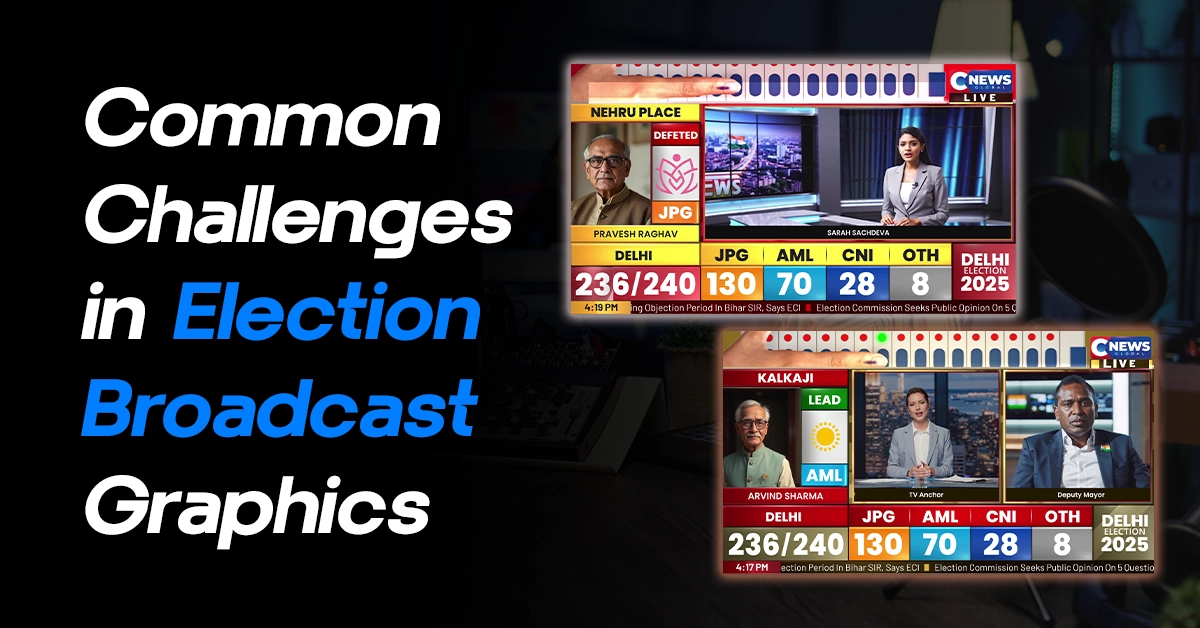
Data-driven productions face constant synchronization challenges. Election streams require instant constituency updates. Sports broadcasts demand real-time score changes. Financial streams need continuously updating dashboards.
Latency between video feeds and data overlays creates noticeable viewer confusion if not handled properly. Modern graphics systems solve this through integrated automation and real-time data pipelines.
Branding Consistency Matters
Viewers subconsciously associate consistent visual identity with production quality.
Professional streams maintain consistency across:
- Fonts
- Motion graphics
- Color schemes
- Animation styles
- Overlay positioning
Inconsistent graphics reduce credibility instantly.
Encoding and Streaming Settings
Encoding converts raw camera feeds into compressed formats suitable for online delivery.
Bitrate and Resolution Optimization
Every streaming platform has different recommended bitrate settings depending on the live streaming setup and audience requirements. Higher bitrate improves visual quality but increases bandwidth requirements. Excessive bitrate can cause buffering if viewers have weaker internet connections. Balancing bitrate, resolution, and frame rate is essential for stable live streaming.
Hardware vs Software Encoding
Software encoding uses CPU resources and provides flexibility, while hardware encoding relies on dedicated GPU or encoder hardware for improved efficiency. Large-scale productions often use dedicated hardware encoders for reliability and lower system load.
Understanding Latency
Ultra-low latency is useful for interactive streams like gaming or auctions, but lower latency often reduces buffering tolerance.
Standard latency modes provide more playback stability for longer broadcasts and high-resolution streams.
Streaming Platforms and Distribution Strategy
Choosing the right streaming platforms influences discoverability, engagement, monetization, and overall Live Stream Production strategy.
Platform-Specific Optimization
Every platform rewards different optimization strategies. YouTube prioritizes thumbnails, titles, and watch time. Facebook Live benefits from immediate engagement. Twitch emphasizes community interaction and low-latency communication. Professional live stream production teams optimize streams specifically for each destination platform.
Multi-Streaming Workflows
Simulcasting allows broadcasts to reach multiple audiences simultaneously.
However, multi-streaming increases bandwidth usage and introduces additional monitoring complexity. Distribution tools can simplify this process, especially in large-scale productions.
Backup Systems: The Difference Between Recovery and Failure
Professional live streaming setup environments assume failures will happen eventually.
Internet Redundancy
Dual ISP configurations and bonded connections reduce the risk of total stream failure.
Power Backup
Critical systems should remain protected with UPS solutions to prevent abrupt shutdowns during outages.
Failover Systems
Professional productions often maintain:
- Backup encoders
- Secondary streaming destinations
- Redundant audio paths
- Spare cables and converters
Redundancy is not excessive it is standard practice in professional live video production.
Live Monitoring and Quality Control
Monitoring ensures issues are caught before viewers complain.
Operators should continuously monitor:
- Audio levels
- Video quality
- Stream health
- Encoding performance
- Graphics synchronization
Preview monitoring is equally important because it allows operators to verify transitions and graphics before they go on air.
Post-Stream Workflow Matters Too
The live stream does not end when the broadcast finishes.
Recorded streams can be repurposed into:
- Social media clips
- Highlight reels
- Shorts and reels
- Promotional content
- On-demand training assets
Analytics also reveal important performance insights like audience drop-off points, retention duration, and engagement spikes. This information helps optimize future live stream production strategies.
Common Live Stream Production Mistakes
The most common mistakes include:
- Ignoring audio quality
- Failing to rehearse transitions
- Using unstable internet connections
- Overcomplicating workflows
- Poor graphics synchronization
- No backup systems
Professional live streaming is often about simplification and reliability rather than adding more technology.
Advanced Live Stream Production Workflows
Modern productions increasingly rely on:
- Remote production systems
- Cloud-based switching
- Real-time data integrations
- AI-assisted production automation
These technologies reduce hardware dependency while enabling scalable remote collaboration.
Election coverage and news broadcasting especially benefit from cloud-connected graphics workflows and real-time data integration systems.
Final Thoughts: Live Streaming Is Now a Strategic Production Discipline
The gap between amateur and professional live streaming is no longer defined only by camera quality. It is defined by workflow design, operational planning, graphics integration, monitoring discipline, and reliability.
Successful Live Stream Production combines technical execution with audience experience. From camera setup and audio routing to graphics synchronization and failover systems, every layer affects how viewers perceive the stream.
As audiences continue expecting television grade production across digital streaming platforms, creators and broadcasters who invest in scalable, reliable workflows will stand out significantly.
Whether you are building a webinar studio, launching a multi-camera event setup, producing election coverage, or scaling a corporate broadcast workflow, the real goal is not simply to go live it is to deliver a seamless, professional viewing experience every single time.