Creating a professional virtual newsroom is no longer limited to major television broadcasters with multi-million-dollar studios. Advances in green screen technology, real-time rendering, and virtual production software have made it possible for regional news channels, digital media organizations, educational institutions, corporate communication teams, and independent broadcasters to produce high-quality news broadcasts from a compact studio space.
Traditional newsrooms require permanent studio sets, expensive renovations, multiple display walls, and significant maintenance costs. In contrast, a virtual news studio uses green screen technology and real-time 3D environments to recreate the same professional look while offering far greater flexibility. Broadcasters can switch between news themes, election studios, business segments, weather reports, and breaking news environments without physically rebuilding the studio.
In this guide, you’ll learn how to plan a professional virtual newsroom, choose the right equipment, build an effective newsroom green screen setup, configure your production workflow, avoid common mistakes, and select software that delivers broadcast-quality virtual news productions. Whether you’re launching a new digital news channel or modernizing an existing broadcast workflow, this article will help you understand every essential component of a successful virtual newsroom.
What Is a Virtual Newsroom?
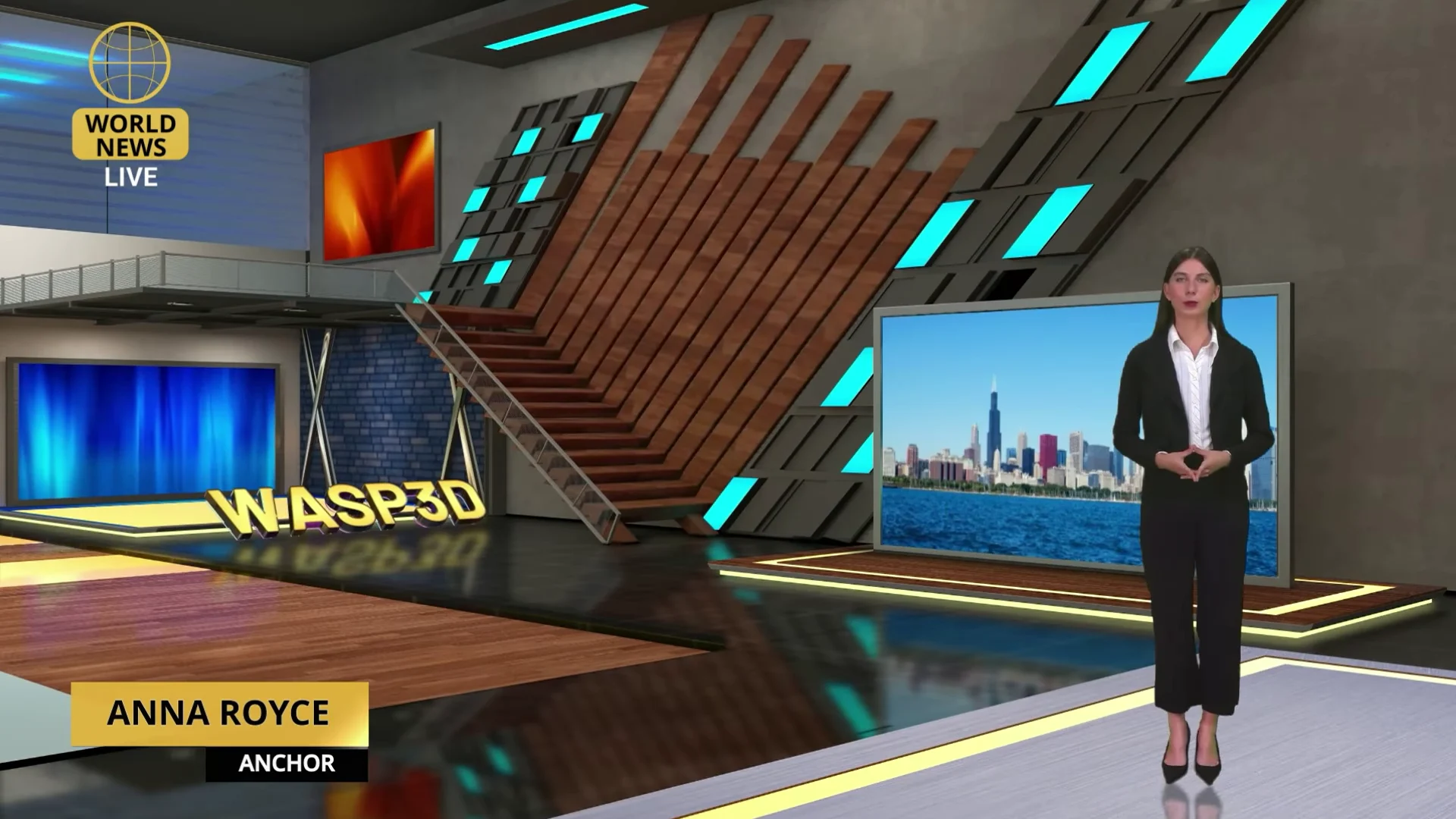
A virtual newsroom is a broadcast environment where presenters appear inside a digitally created news studio instead of a physical set. Using green screen technology, real-time rendering, camera tracking, and virtual production software, broadcasters can replace a plain green background with a realistic newsroom that responds naturally to camera movement and live production requirements.
Unlike traditional studios, where every news desk, display wall, and background must be physically constructed, a virtual newsroom generates these elements digitally. This allows production teams to change studio designs, branding, layouts, and presentation styles in minutes rather than weeks.
A modern virtual news studio combines several technologies into a single production workflow, including:
- A professionally lit green screen studio
- Broadcast or cinema cameras
- High-quality audio equipment
- Virtual studio software
- Real-time graphics and branding
- Camera tracking systems
- Live production and streaming workflows
For broadcasters covering multiple programs every day, this flexibility is invaluable. This flexibility allows broadcasters to respond quickly to breaking news, special events, and evolving branding requirements without rebuilding a physical studio.
Benefits of Using a Virtual Newsroom
The growing adoption of virtual production is changing how broadcasters approach news production. Instead of investing heavily in physical infrastructure, organizations are choosing virtual environments that provide greater flexibility, faster production, and improved visual storytelling.
Cost Efficiency Without Compromising Production Quality
Constructing and maintaining a traditional news studio requires a significant investment in custom-built sets, lighting rigs, display systems and ongoing maintenance. A virtual newsroom eliminates much of this physical infrastructure by replacing it with realistic digital environments, helping broadcasters reduce both setup and operational costs.
Another major advantage is that a professional news studio setup no longer requires a large production facility. Many broadcasters successfully produce daily news programmes from compact green screen studios using quality cameras, efficient lighting, and virtual studio software. Instead of building multiple physical sets for different programmers, production teams can switch between virtual news environments in minutes while using the same studio space.
This makes virtual production an ideal solution for regional broadcasters, digital news platforms, educational institutions, corporate communication teams, and media organizations looking to maximize production quality without the expense of expanding their physical studio.
Faster Studio Changes
News production often requires rapid transitions between different formats. A broadcaster may cover business news in the morning, elections during the afternoon, and sports highlights in the evening.
In a traditional studio, changing the set can require hours of preparation. With a virtual news studio, switching between environments can happen within minutes, allowing production teams to respond quickly to breaking stories and special events.
Unlimited Creative Possibilities
One of the greatest strengths of a virtual newsroom is creative freedom. Broadcasters are no longer restricted by physical space or construction budgets. Virtual environments can include large LED-style video walls, animated backgrounds, interactive presentation areas, modern anchor desks, and custom branding elements that would otherwise be expensive or impractical to build.
Consistent Branding Across Every Broadcast
Maintaining a consistent visual identity helps strengthen audience recognition. Virtual studios allow broadcasters to use the same colors, logos, graphics, typography, and layouts across multiple programs without manually rebuilding studio elements. Whether viewers are watching on television, YouTube, or social media, the presentation remains visually consistent.
Improved Remote Production
Modern newsrooms increasingly rely on remote contributors, correspondents, and hybrid production workflows.
A virtual newsroom integrates more easily with remote production technologies, making it possible to combine presenters, live guests, graphics, and virtual environments into a unified broadcast. This flexibility is particularly useful during election coverage, special reports, and multi-location productions.
Enhanced Viewer Experience
Realistic virtual backgrounds, dynamic camera movements, integrated graphics, and polished studio environments help increase viewer confidence and engagement. A professional presentation communicates credibility while making news content easier to follow and more visually appealing.
This is one reason why virtual production has become popular across television news channels, YouTube news creators, financial broadcasters, educational media teams, corporate communications, and election coverage.
Essential Equipment for a Professional News Studio Setup
Once you’ve planned your virtual newsroom, the next step is selecting equipment that supports your production goals. While every broadcast environment is different, the following components form the foundation of most professional virtual news studios. While every studio has unique requirements, most successful virtual newsrooms rely on a combination of carefully chosen hardware and software working together.
Green Screen
A smooth, evenly colored background enables chroma key technology to accurately replace the green surface with a realistic virtual environment. Whether using painted walls or professional green screen fabric, the surface should remain wrinkle-free and evenly illuminated to produce clean keying results.
The size of the green screen should accommodate the intended camera angles and presenter movements. News broadcasts often involve medium and wide shots, so planning adequate coverage helps avoid unwanted background edges appearing in the frame.
Camera
Smaller productions often begin with static cameras, which work well for interviews, news bulletins, and desk-based presentations. As production requirements become more sophisticated, broadcasters frequently adopt camera tracking systems that allow cameras to pan, tilt, zoom, and move naturally while the virtual environment updates in real time.
Lighting
Lighting is one of the most important elements in a newsroom green screen workflow. Rather than relying on a single lighting source, professional productions typically separate lighting into distinct layers. Even illumination across the green screen ensures cleaner chroma keying, while dedicated key, fill, and back lights help define the presenter and reduce unwanted shadows or green spill.
Equally important is matching the lighting direction and intensity with the virtual environment so that presenters appear naturally integrated into the digital newsroom.
Audio
Professional lapel microphones, headset microphones, or broadcast microphones help deliver crisp speech with minimal background noise. Proper acoustic treatment within the studio also improves sound quality and creates a more polished viewing experience.
Computer Requirements
Because virtual studios rely on real-time rendering, broadcasters need a production workstation capable of handling demanding graphics workloads.
A modern multi-core processor, sufficient system memory, fast storage, and a powerful graphics processing unit (GPU) are essential for rendering complex virtual environments smoothly while managing live video inputs and production software.
Selecting hardware that meets both current and future production requirements helps ensure long-term reliability as broadcasts become more sophisticated.
Camera Tracking
Although camera tracking is optional for basic productions, it has become a defining feature of professional virtual newsrooms.
Tracking systems continuously monitor the position and movement of the camera, allowing the virtual environment to respond in perfect synchronization. As the camera pans, tilts, zooms, or moves across the studio, the digital newsroom adjusts its perspective naturally, creating the illusion of a fully built physical set.
How can I create a professional newsroom green screen setup?
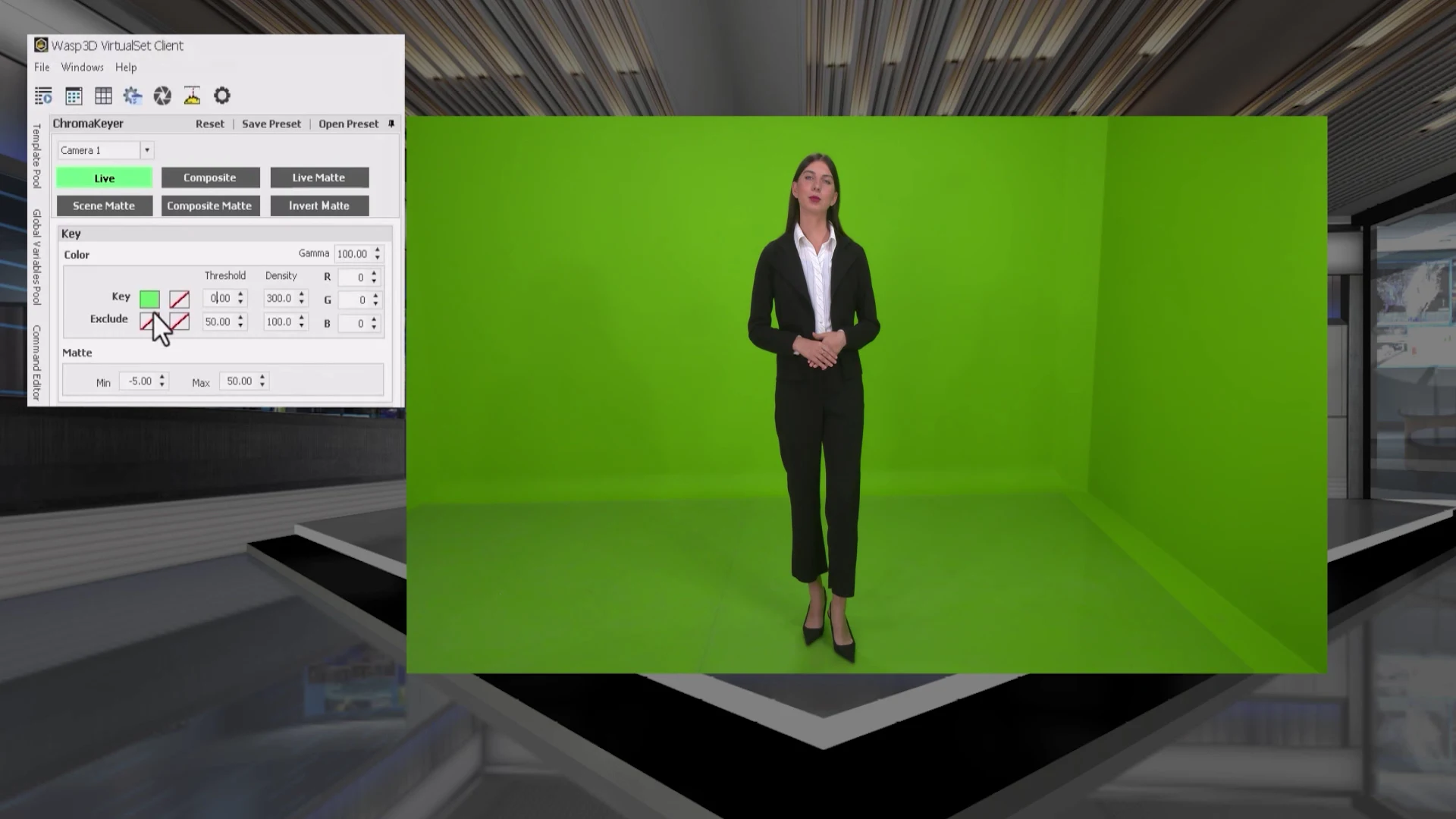
A successful newsroom green screen setup is about much more than placing a green backdrop behind a presenter. Every element from the studio dimensions and lighting to camera placement, and chroma key settings must work together to create a believable virtual newsroom. Even the most advanced virtual studio software cannot compensate for poor lighting or an improperly configured green screen.
The following workflow is used by many professional broadcasters to achieve consistent, broadcast-quality results.
Step 1: Choose Enough Studio Space
The first step is selecting a space that allows enough room for both the presenter and the equipment. One of the most common mistakes is positioning the presenter too close to the green screen, which often creates an unwanted green spill on clothing and skin.
Leave sufficient distance between the presenter and the background so that lighting can be controlled independently. This also provides enough room for camera movement if your production later expands to include camera tracking.
When planning your news studio setup, think beyond today’s requirements. A little extra studio space gives you the flexibility to add additional presenters, virtual displays, or different camera angles in the future.
Step 2: Install a Wrinkle-Free Green Screen
A smooth green surface is essential for clean chroma keying.
Whether you use painted walls or professional green screen fabric, the background should have a consistent color across the entire frame. Wrinkles, folds, and uneven textures create darker and lighter areas that make background removal more difficult.
The green screen should also extend beyond the camera frame, so presenters remain fully covered during movement.
Step 3: Light the Green Screen Evenly
Lighting is often the difference between an amateur-looking production and a professional virtual newsroom.
The green background should receive even illumination from edge to edge. Bright hotspots and dark shadows create inconsistent colors that reduce chroma key quality.
Using dedicated lights for the background helps produce a uniform green surface while making chroma key adjustments significantly easier during production.
Step 4: Light the Presenter Properly
The presenter should never rely on the same lights used for the green screen.
Instead, use a traditional three-point lighting approach with key, fill, and back lights to separate the presenter from the background. This improves depth, creates natural facial shadows, and reduces green reflections around the shoulders and hair.
A well-lit presenter also blends more naturally into the virtual environment once the background has been replaced.
Step 5: Maintain Proper Distance
Distance plays a surprisingly important role in virtual production.
Keeping adequate space between the presenter and the green screen reduces the green spill, minimizes unwanted shadows, and allows for cleaner keying. It also provides greater flexibility when using virtual camera movements or wider camera shots.
Even small adjustments in the presenter position can significantly improve the final broadcast quality.
Step 6: Configure the Camera Correctly
Before starting production, determine how your audience will view the broadcast.
Eye-level camera placement is generally the preferred choice for news presentations because it creates a natural viewing experience. Consistent framing, balanced headroom, and stable composition also help maintain a professional appearance across every broadcast.
If your production uses camera tracking, accurate calibration is equally important. Proper tracking ensures that the virtual environment responds naturally as the camera pans, tilts, zooms, or moves through the studio.
Practical Tips for Better Results
Instead of constantly adjusting software settings during production, invest time in creating a consistent studio environment. Maintain fixed lighting positions, use camera presets whenever possible, and avoid introducing reflective objects into the scene. Consistency makes every production easier and delivers a more polished on-air appearance.
How can I set up a professional green screen desk for news broadcasting?
Many people assume that creating a professional news desk is simply about choosing attractive furniture. The desk is only one part of a much larger production workflow.
In a virtual newsroom, the physical desk, camera angle, presenter position, lighting, and virtual environment must all align perfectly.
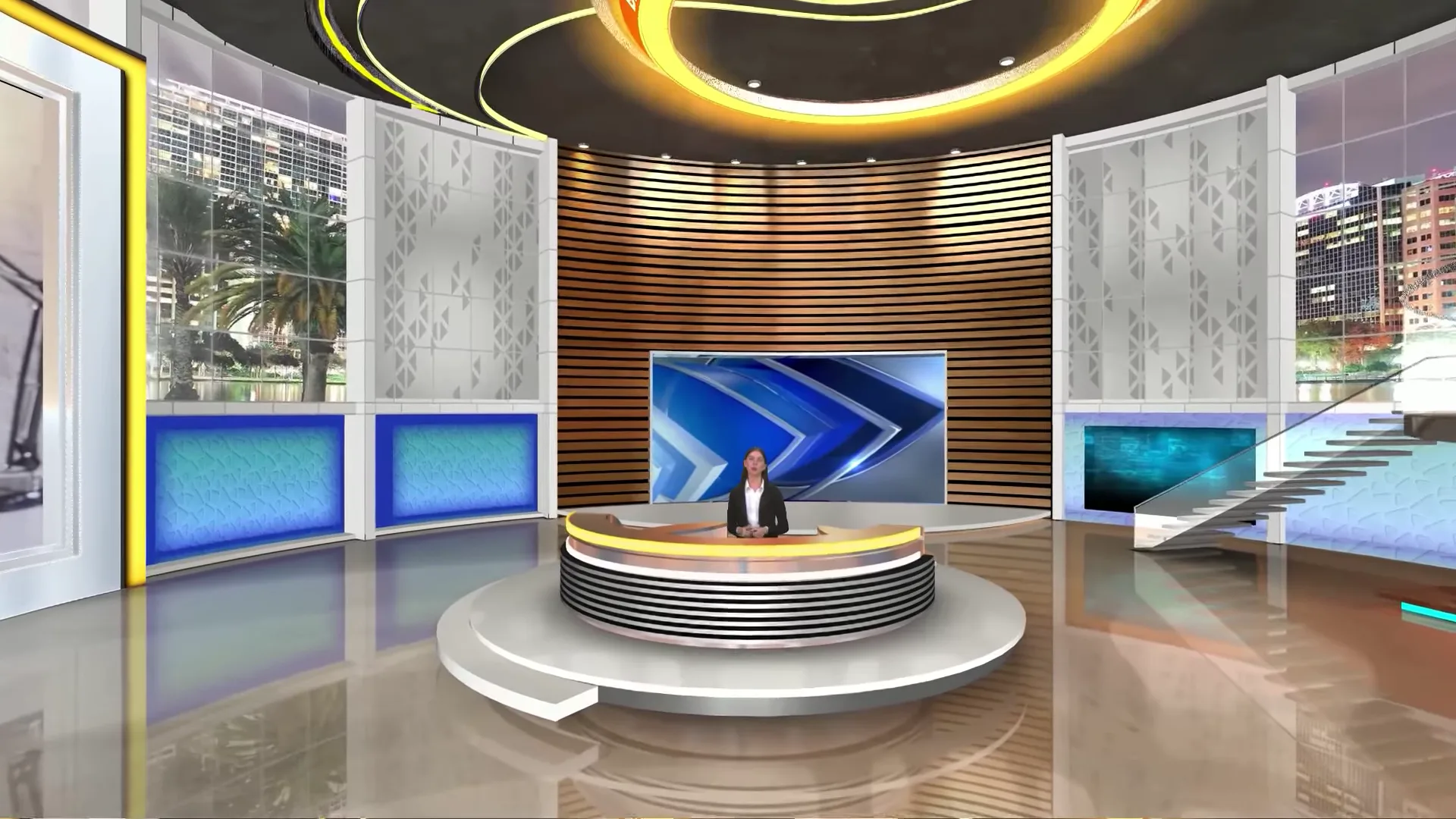
Choose a Desk Designed for Green Screen Production
The physical desk should complement the virtual environment instead of competing with it. Professional productions often choose desks with matte, non-reflective finishes because glossy surfaces can reflect green light and complicate chroma keying. The desk should also provide comfortable presenter positioning while maintaining proportions that match the virtual newsroom.
Simple, clean lines generally integrate more naturally into digital studio environments than highly decorative furniture.
Use Virtual Set Software to Complete the Newsroom
The physical desk alone does not create a professional virtual news studio. The realism comes from the virtual production platform that combines presenters, studio graphics, and digital environments into a seamless broadcast.
Modern virtual studio software allows broadcasters to place presenters inside highly detailed newsroom environments featuring animated backgrounds, large video walls, virtual displays, realistic lighting, and branded presentation areas.
Advanced platforms such as WASP3D Virtual Set take this experience further by enabling broadcasters to create immersive Unreal Engine-powered news studios that respond naturally to camera movement. Instead of producing a static background, the software generates realistic depth, perspective, and dynamic virtual environments that closely resemble physical television studios.
Test the Complete Newsroom Before Going Live
Before broadcasting, evaluate the complete production rather than individual components.
Review the camera alignment, presenter positioning, chroma key quality, lighting consistency, graphics placement, and virtual background perspective. Confirm that every visual element works together as a single production rather than appearing as separate layers.
Professional broadcasters routinely perform these checks before every live production because even small adjustments can dramatically improve the final presentation.
How WASP3D Virtual Set Helps Build a Professional Virtual Newsroom
Designing a broadcast-quality virtual newsroom requires software capable of combining green screen production, realistic virtual environments, camera tracking, and real-time rendering into a seamless workflow. This is where dedicated virtual studio platforms play a critical role.
WASP3D Virtual Set is designed to help broadcasters, news organizations, educational institutions, corporate communication teams, and content creators produce immersive virtual studios without the cost and limitations of traditional physical sets.
One of its key strengths is its support for Unreal Engine-powered virtual studios. Instead of relying on flat or static backgrounds, broadcasters can create highly detailed newsroom environments featuring realistic lighting, reflections, depth, and animated visual elements.
This allows productions to achieve the modern appearance viewers expect from professional television broadcasts.
The platform also includes CineKeyer, WASP3D’s real-time chroma key technology, which enables clean background removal while preserving fine details around the presenter.
Combined with properly configured lighting, this helps create natural-looking composites where presenters blend seamlessly into the virtual environment.
For productions requiring dynamic camera movement, WASP3D Virtual Set supports professional camera tracking technologies, including FreeD and HTC Vive Mars.
Another advantage is the ability to import custom 3D assets through .FBX support. Broadcasters can design newsroom environments that match their branding requirements rather than being limited to predefined templates. Whether creating a national news studio, a financial broadcast set, a sports analysis desk, or an election command centre, production teams have the flexibility to build environments tailored to their programming.
The platform also supports virtual camera animations, allowing broadcasters to create cinematic transitions, smooth camera movements, and visually engaging presentations without requiring expensive physical camera rigs. These capabilities help elevate production quality while maintaining efficient workflows.
Perhaps most importantly, the platform scales to different production requirements. A regional broadcaster can begin with a compact green screen studio and later expand to advanced tracked virtual productions without rebuilding the entire workflow. This flexibility makes it suitable for daily news bulletins, election coverage, business programming, educational broadcasts, sports analysis, and corporate communications.
Conclusion
A professional virtual newsroom is built on more than attractive visuals—it is the result of careful planning, a well-designed newsroom green screen workflow, quality equipment, and software that brings every production element together in real time.
From selecting the right green screen and lighting setup to configuring cameras, integrating graphics, and building realistic virtual environments, each stage contributes to the overall quality of the broadcast.
Paying attention to these details helps create productions that are visually engaging, technically reliable, and capable of meeting modern audience expectations.
The good news is that creating a professional virtual news studio no longer requires the budget of a national television network.
Advances in virtual production technology have made it possible for regional broadcasters, digital news platforms, educational institutions, and corporate media teams to produce broadcast-quality content from compact studio spaces.
If you’re planning to modernize your news studio setup, investing in a solution like WASP3D Virtual Set can provide the flexibility to design immersive. Unreal Engine-powered studios, integrate camera tracking, create realistic virtual environments, and adapt quickly to changing production requirements.
Whether you’re producing daily news bulletins, election specials, financial programmes, or live corporate broadcasts. the right virtual studio platform can help you deliver professional results while reducing the cost and complexity of maintaining traditional physical sets.