Introduction: Why Live Stream Graphics Matter More Than Ever
Live streaming today is no longer just about showing video,it is about creating a complete viewing experience. A free stream overlay helps creators add professional graphics, scoreboards, lower thirds, and branding elements to their broadcasts without spending a fortune. Whether you stream on YouTube Live, Facebook Live, OBS, or vMix, using a free stream overlay can instantly make your content look more professional and engaging.
Graphics such as lower thirds, tickers, overlays, and scoreboards help present important information without interrupting the main content. As a result, viewers stay informed, engaged, and connected throughout the stream. Moreover, well-structured visuals give your production a professional edge that instantly builds credibility.
In fact, as audience expectations continue to rise, using high quality broadcast graphics is no longer optional as it has become essential. Without them, even great content can feel incomplete or unorganized.
What Is a Free Stream Overlay?
A free stream overlay allows streamers to display graphics, branding, scores, and information on top of their live video feed. Live stream graphics are visual elements that appear on screen during a broadcast to display important information such as names, headlines, scores, branding, or updates. These elements work alongside your video, enhancing the experience instead of distracting from it.
What are live stream overlays and how do they work?
Overlays are layered graphics that sit on top of your video feed. For example, a lower third showing a speaker’s name or a ticker displaying breaking news runs seamlessly while your content continues.
These overlays are typically created using broadcast quality graphics software, which allows real-time rendering and updates without interrupting the stream.
Common types of live stream graphics
There are several types of graphics used in live production, including:
- Lower thirds (names, titles)
- Tickers (scrolling text for updates)
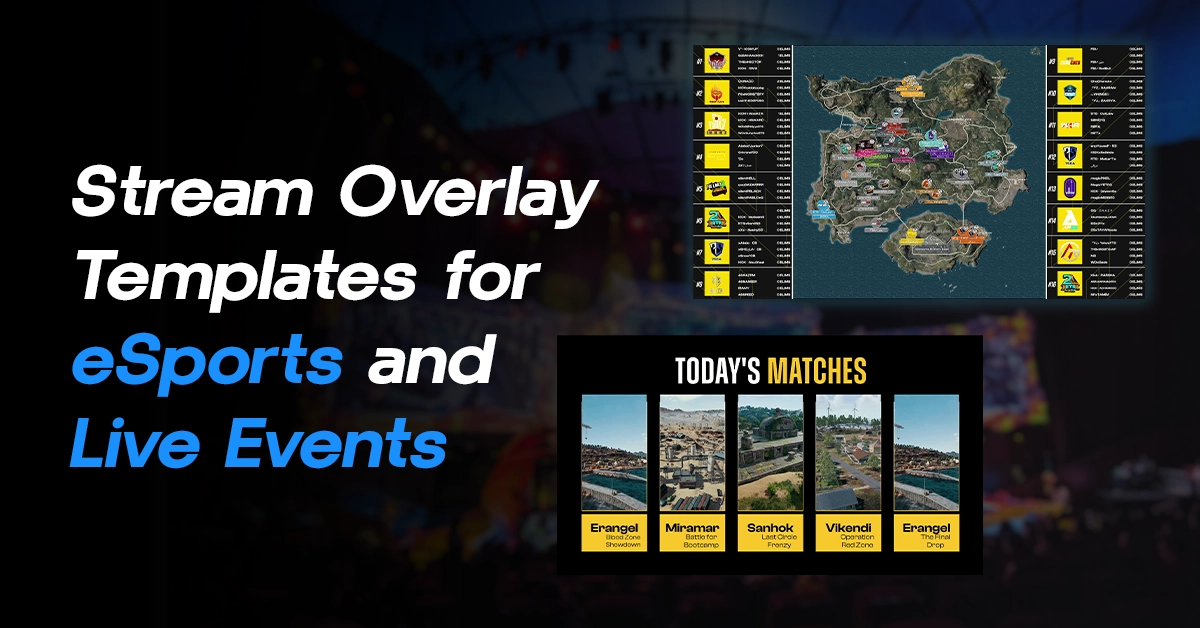
- Scoreboards (sports or esports data)
- Logos and branding elements
- Full-screen graphics and transitions
Each of these plays a specific role. For instance, lower thirds provide context, while tickers deliver continuous updates.
Why Every Streamer Needs a Free Stream Overlay
Not all graphics are equal. Basic visuals may work for casual streams, but professional productions demand precision, clarity, and responsiveness.
Broadcast Quality Graphics ensure:
- Sharp visuals across all devices
- Smooth animations without lag
- Real-time updates without glitches
- Consistent branding
As a result, your content looks polished and trustworthy, which is crucial in today’s competitive streaming environment.
Common Problems Live Streamers Face
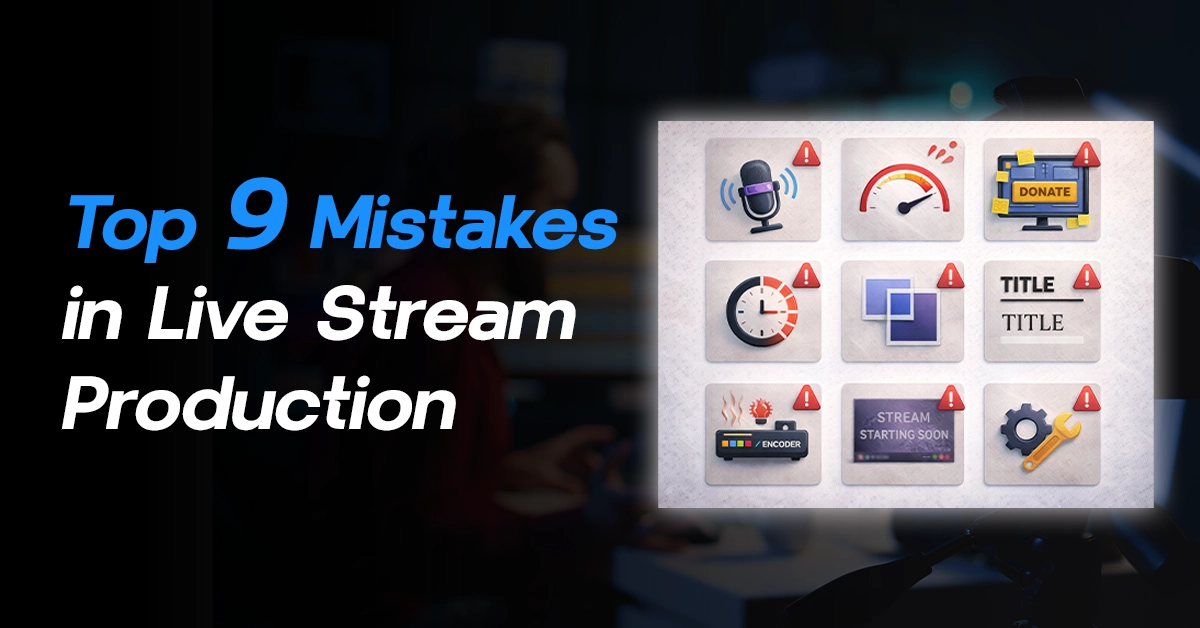
Even though graphics are essential, creating and managing them during a live stream is often challenging. Many teams struggle with inefficiencies that affect production quality.
Dependence on designers for every update
Traditionally, even small changes require a designer. For example, updating a name or score might mean editing the design file again. This slows down the workflow significantly.
Time-consuming graphic creation process
Creating high quality broadcast graphics from scratch takes time. Moreover, repeated tasks like resizing, formatting, and exporting can delay production.
Difficulty in updating content during live shows
Live streaming is dynamic. Information changes constantly, especially in news, sports, or events. However, many systems don’t allow easy real-time updates, which leads to outdated or incorrect visuals.
Managing multiple graphics efficiently
Handling multiple overlays at once can become overwhelming. Without a structured system, switching between graphics can cause errors or interruptions.
Because of these challenges, many teams fail to achieve consistent broadcast quality graphics, even when they have good content.
Best Free Stream Overlay Software for Live Streaming: Wasp3D Xpress
To solve these challenges, modern tools like Wasp3D Xpress are transforming how live stream graphics are created and managed. Wasp3D Xpress is a powerful free stream overlay solution for creators who want professional graphics without complicated workflows. Learn how to download free stream overlay software
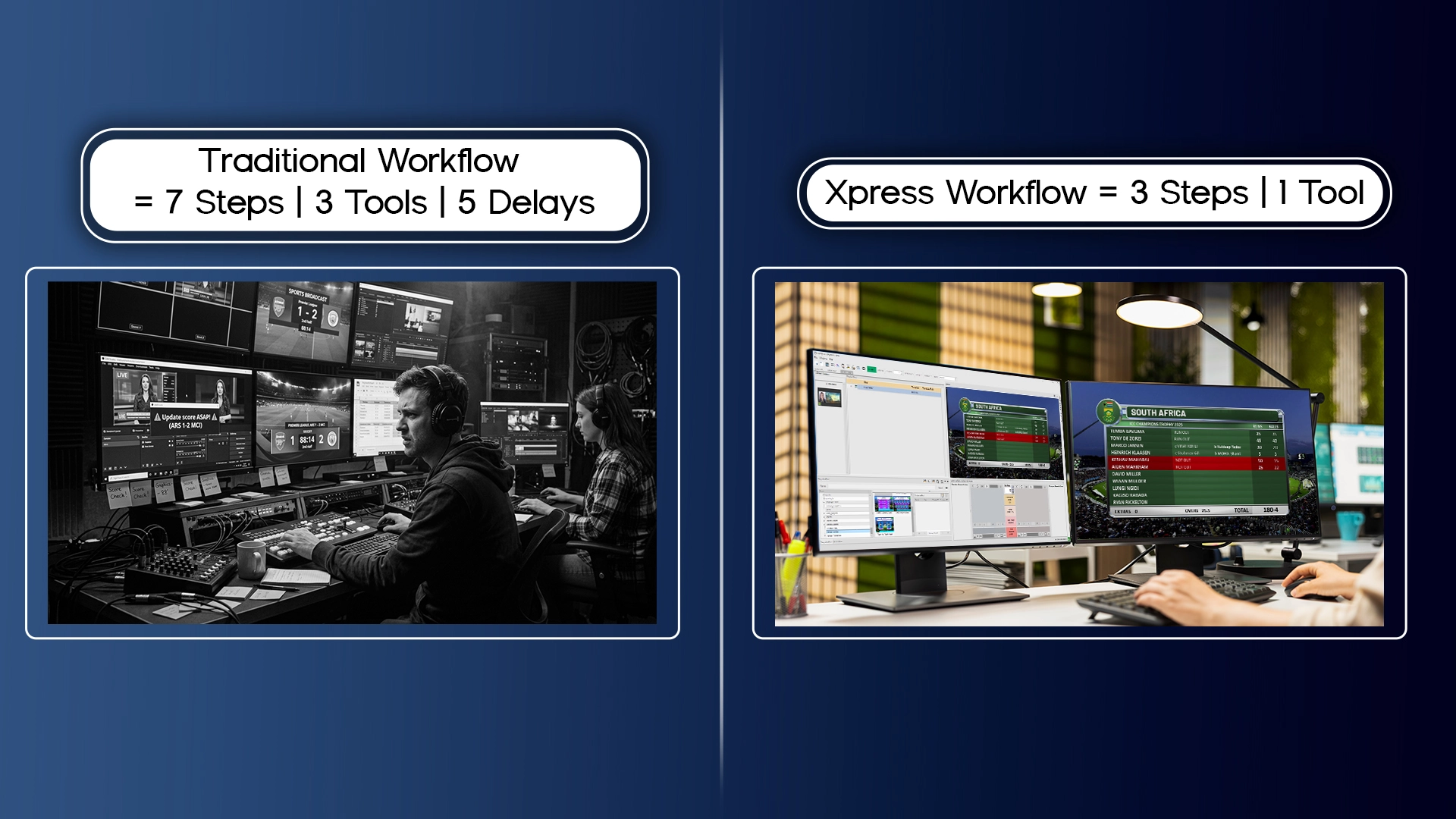
Xpress is designed as a broadcast quality graphics software that simplifies the entire workflow. Instead of creating graphics repeatedly, users can design templates once and reuse them by simply updating the content.
Why Xpress stands out
- Free 3D livestream overlay software
- No watermark, even in the free version
- No design skills required
- Built specifically for modern live streaming needs
As a result, even beginners can create professional-level graphics without relying heavily on designers.
Why Choose a Free Stream Overlay Instead of Custom Graphics?
Modern streaming demands speed, flexibility, and quality. Fortunately, Xpress delivers all three through its powerful yet easy-to-use features.
a) Ready-to-Use Graphics
First, Xpress provides pre-built templates that give you an instant professional look. Instead of starting from scratch, you can simply choose a template and customize it.
b) No-Code 3D Graphics Creation
Unlike traditional tools, Xpress also allows you to create broadcast quality graphics without coding. You can:
- Build visuals using basic shapes
- Add textures and materials
- Include timers, tickers, and animations
Therefore, creating high quality broadcast graphics becomes faster and more accessible.
c) Playlist Manager (Easy Control)
Managing multiple graphics is simple with the playlist manager. You can:
- Drag and reorder graphics
- Preview them before going live.
- Ensure smooth transitions during production.
As a result, your workflow becomes more organized and efficient.
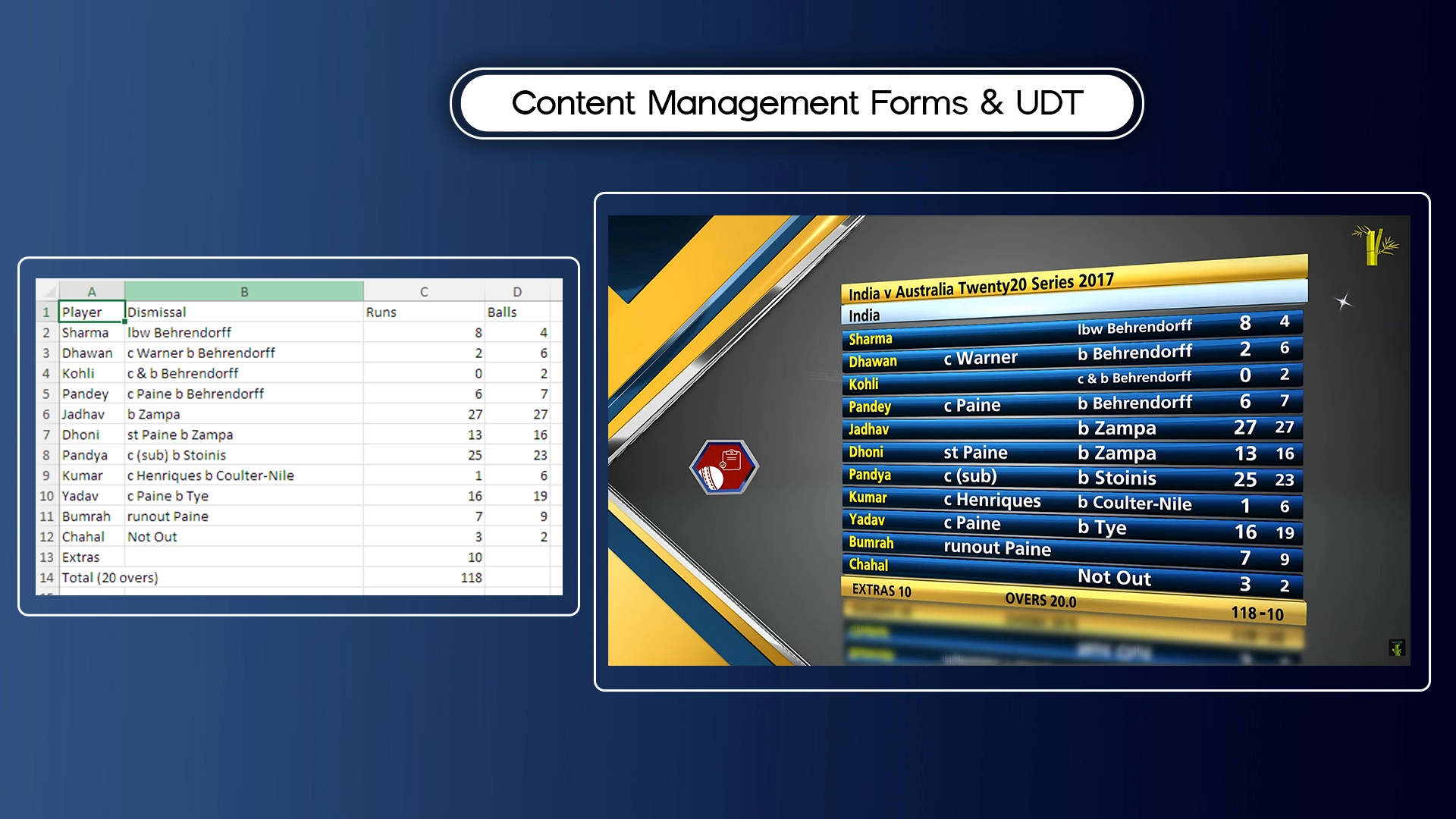
d) Content Management Forms
One of the most powerful features is real-time data updating. Instead of editing designs, you can update text fields like names, scores, or headlines instantly.
This means no interruptions during live streaming.
e) User Defined Tables (UDT)
For complex data like sports statistics or election results, Xpress offers a spreadsheet-like interface. This allows you to manage large datasets easily and display them accurately on screen.
f) Responsive Graphics
Finally, Xpress ensures that all elements adjust automatically in real time. Whether the screen size or content changes, your graphics remain clean and professional.
How to Create a Free Stream Overlay with Wasp3D Xpress
Another major advantage of Xpress is its simple and efficient workflow. Even first-time users can get started quickly.
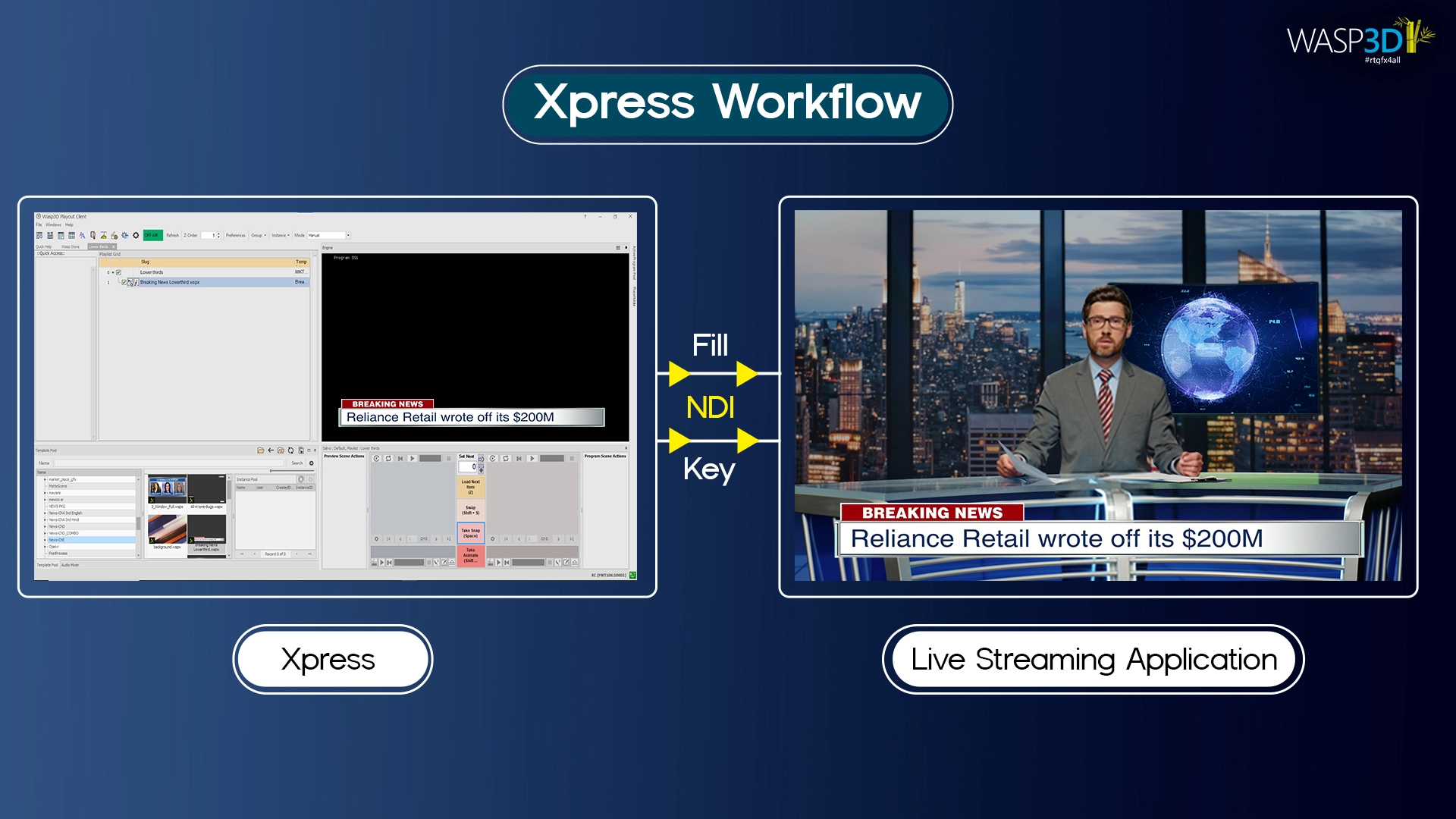
Step-by-step process
Step 1: Create or select graphics
Choose from templates or design your own
Step 2: Fill data using forms
Enter text, numbers, or dynamic content
Step 3: Send via NDI to OBS & vMix
Integrate seamlessly with your streaming setup
Step 4: Output to live streaming software
Go live on platforms like YouTube Live or Facebook Live
Because of this streamlined process, teams can focus more on content rather than technical complexities.
Where You Can Use Free stream overlay: Xpress (Use Cases)
The flexibility of broadcast quality graphics software like Xpress makes it suitable for various industries.
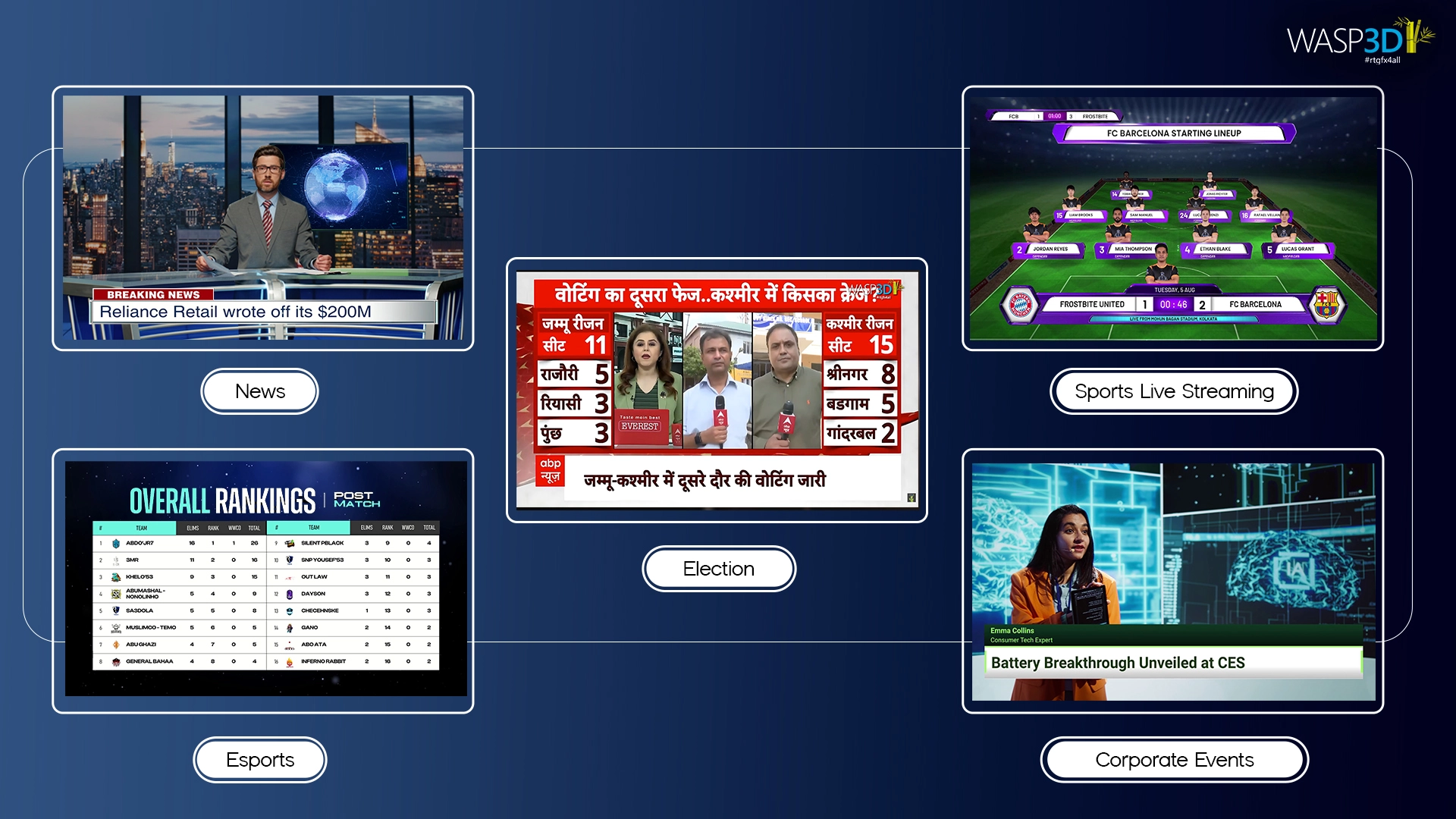
News broadcasting
Display headlines, breaking news tickers, and reporter details in real time.
Sports & esports streaming
Show live scores, player stats, and match updates seamlessly.
YouTube Live streams
Enhance content with professional overlays, improving viewer retention.
Corporate webinars
Add branding, speaker information, and structured visuals for a polished look.
Live events & concerts
Use dynamic visuals to engage audiences both online and offline.
Election coverage
Handle complex data and present results clearly using User Defined Tables.
Wasp3D Xpress is a powerful free stream overlay solution for creators who want professional graphics without complicated workflows.
Benefits of Using a Free Stream Overlay
As we move further into 2026, the demand for faster and better content continues to grow. Therefore, tools like Xpress are becoming essential for creators and professionals alike.
Key benefits
- Faster content creation
- Real-time updates without delays
- Professional broadcast quality graphics output
- Zero cost barrier for entry
- Scalable for beginners and professionals
In addition, the ability to create high quality broadcast graphics without technical expertise makes it ideal for modern workflows.
Conclusion: Start Creating Better Free stream overlay Today
To sum up, live streaming has evolved significantly. It is no longer just about delivering video it is about delivering an experience.
Broadcast Quality Graphics plays a central role in this transformation. They improve clarity, enhance engagement, and ensure your content looks professional at all times.
However, achieving this level of quality used to be complex and time-consuming. Now, with tools like Xpress, creating and managing broadcast quality graphics software has become simple, fast, and accessible.
Ultimately, by using structured templates, real-time updates, and efficient workflows, you can focus on what truly matters delivering great content.
So, if you want to stand out in today’s competitive streaming landscape, it’s time to upgrade your visuals and start creating high quality broadcast graphics effortlessly. Wasp3D Xpress is a powerful free stream overlay solution for creators who want professional graphics without complicated workflows.