Introduction: Moving Beyond Traditional Weather Graphics
Weather broadcasting today is very different from what it used to be. Earlier, it was enough to display a simple forecast of temperatures, a few icons, and a presenter explaining the rest. But now, viewers expect much more. They want information that is not only accurate but also easy to understand at a glance, whether they are watching on television, streaming online, or checking updates on their phones.
This shift has made visuals far more important than before. Weather is no longer just spoken it is experienced through graphics. And that is exactly where weather graphics software becomes essential.
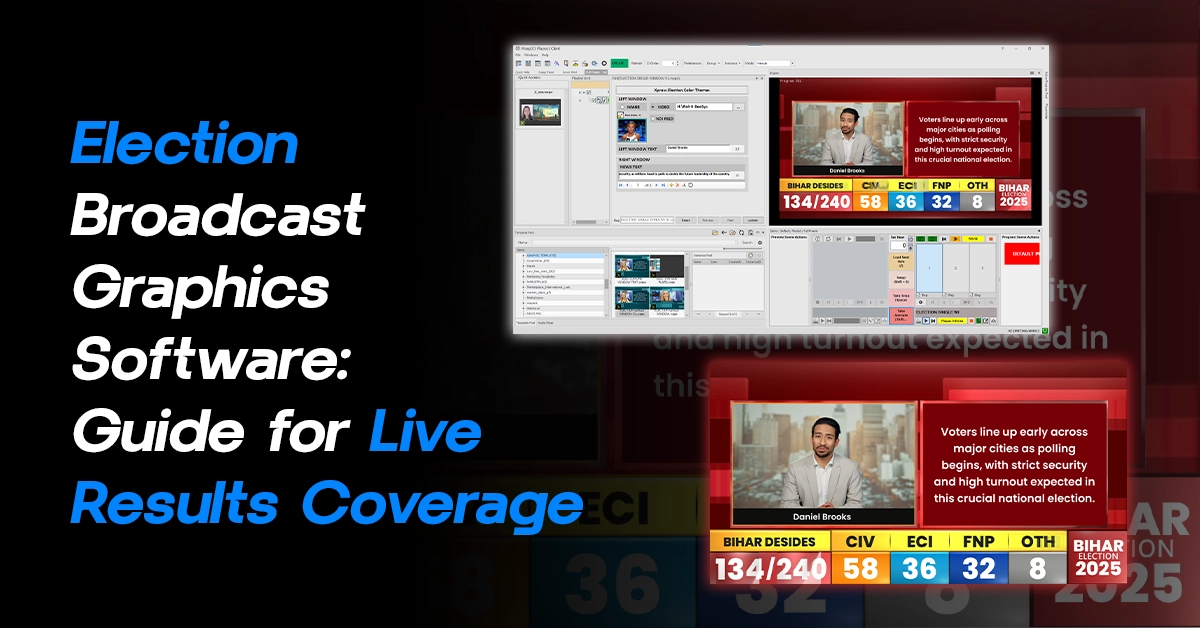
Modern weather graphics software is not just about designing visuals. It is about building a system where data, design, and delivery work together. Instead of creating static images, broadcasters now rely on dynamic graphics that update automatically as weather data changes. This approach not only improves how content looks but also transforms how efficiently it is produced.
Solutions like WASP3D Xpress are built around this idea. They treat weather graphics not as isolated designs but as part of a connected workflow, making the entire process faster, more reliable, and easier to manage.
Why Traditional Weather Graphics No Longer Work
To understand the importance of modern weather graphics software, it helps to look at how things were done earlier.
In traditional workflows, every weather graphic was created as a fixed design. If a forecast changed even slightly someone had to manually update the text, adjust the layout, and ensure everything still looked visually balanced. This might work for a single update, but weather rarely stays constant.
Forecasts change frequently. New data comes in throughout the day. Broadcasters often need to cover multiple cities or regions at the same time. On top of that, the same content may need to be adapted for television, YouTube, and social media.
In such situations, manual workflows quickly become a problem. Updates take longer, errors become more likely, and maintaining consistency across outputs becomes difficult. During live broadcasts, where timing is critical, even small delays can disrupt the entire flow.
This is why the industry is moving toward a more structured and automated approach using weather graphics software.
Bringing Weather to Life with Real-Time Data
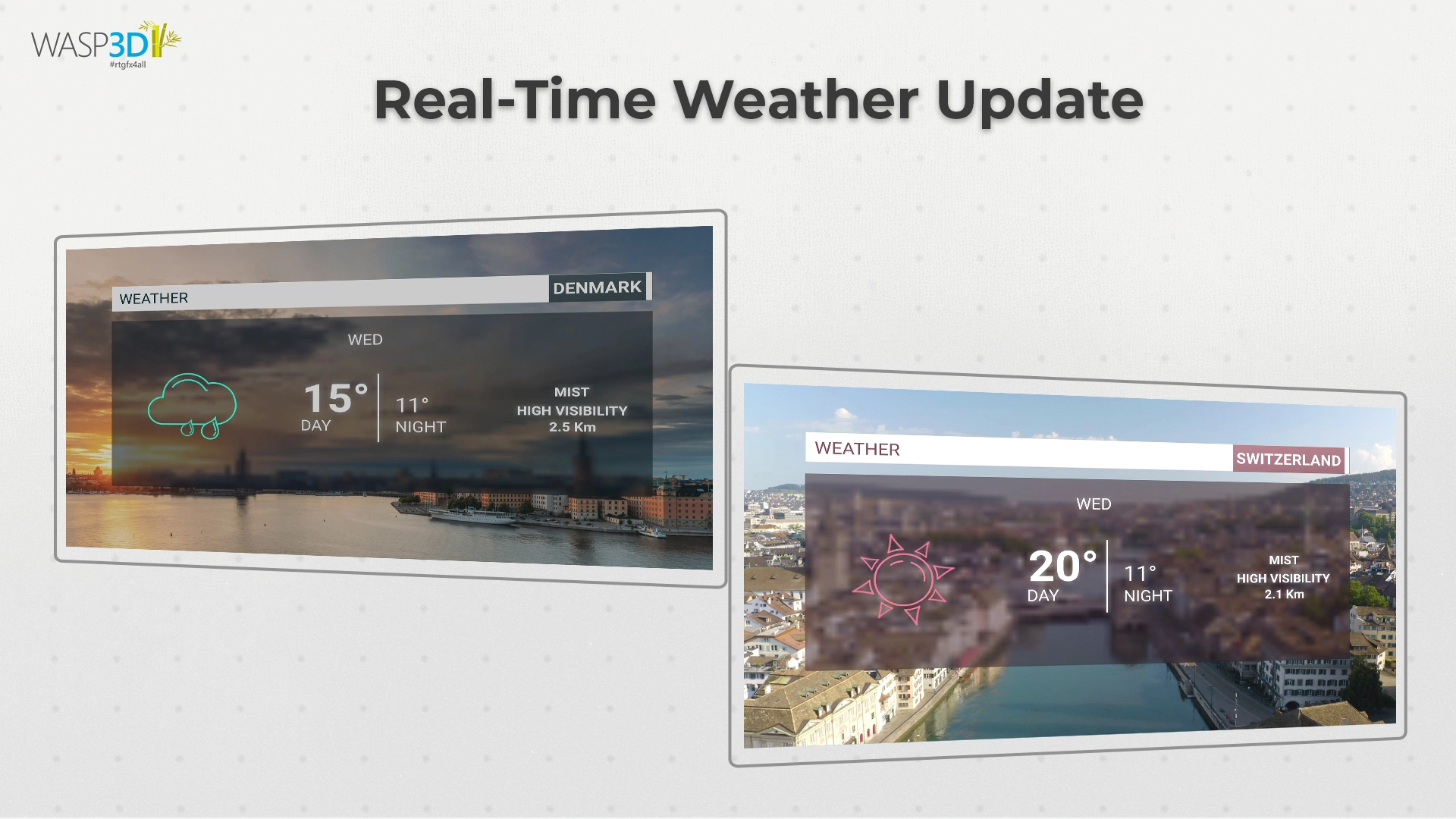
Weather is constantly changing, and modern broadcasting needs to reflect that in real time. This is where advanced weather graphics software integrates with live data sources such as meteorological APIs and forecast systems. Instead of manually entering values, the software can pull in real-time updates for temperature, wind, humidity, and weather conditions. The result is a more dynamic and accurate presentation.
For example, during a live weather segment, if there is a sudden change in conditions like unexpected rainfall or a drop in temperature, the graphics can reflect that instantly. This is especially important during critical situations such as storms or extreme weather events, where timely information can make a real difference. By connecting graphics directly to live data, broadcasters can ensure that what viewers see is always up to date.
For more advanced broadcast environments, solutions like WASP3D PRO have the capability of data integration and automation. It allows teams to connect multiple data sources, manage complex datasets, and drive graphics dynamically at a scale. This becomes particularly valuable in high-pressure scenarios such as continuous weather coverage, or multi-region forecasting, where speed, accuracy, and consistency are critical.
By combining real-time data integration with data control, systems like PRO help broadcasters move beyond simple updates and build a fully automated, reliable weather graphics workflow.
Making Customization Accessible to Everyone
Another major improvement in modern weather graphics software is the reduction of dependency on designers. Earlier, even small changes required design intervention. This often slowed down the workflow, especially in time-sensitive situations.
Now, built-in design tools allow users to modify templates, adjust layouts, and even create new graphics without needing advanced design skills. This makes the system more accessible to journalists, producers, and content creators.
As a result, teams can work more independently and respond faster to changes. It also creates a more flexible workflow where updates can be made instantly, without waiting for external support.
Managing Weather Data More Efficiently
Behind every weather graphic is a large amount of data. Managing this data efficiently is crucial for maintaining accuracy and consistency.
Structured systems like User Defined Tables (UDT, available in Xpress) make this possible by organizing all forecast-related information in one place. Instead of handling scattered inputs, users can manage locations, temperatures, and conditions through a centralized system.
This separation between data and design ensures that updates are quick and reliable. It also reduces the chances of errors, which is especially important during live broadcasts where there is little room for correction.
From Creation to Broadcast: Seamless Playout
Creating graphics is only part of the process. They also need to be delivered smoothly to the final output. Modern weather graphics software supports technologies like NDI, which allows graphics to be transmitted over a network without additional hardware. This makes it easy to integrate them into tools like OBS Studio or vMix.
Once connected, these graphics behave like live video sources. They can be overlaid on broadcasts, switched between scenes, or combined with other visual elements in real time. This ensures that the entire workflow from creation to playout remains efficient and uninterrupted.
From Static Designs to Data-Driven Graphics
One of the most important changes in modern weather production is the shift from static visuals to data-driven systems.
Instead of treating each graphic as a separate design, modern weather graphics software separates the visual layout from the data behind it. Templates are created once, and all the weather information such as temperature, conditions, or location is linked to a data source. When the data changes, the graphic updates automatically.
This might sound like a small shift, but it has a huge impact. It removes the need for repetitive editing and allows teams to focus on accuracy and storytelling instead of manual corrections. It also ensures that every graphic follows the same design structure, which improves consistency across the entire broadcast. Over time, this approach makes the workflow not only faster but also far more reliable.
How Template-Based Forecasting Simplifies Production
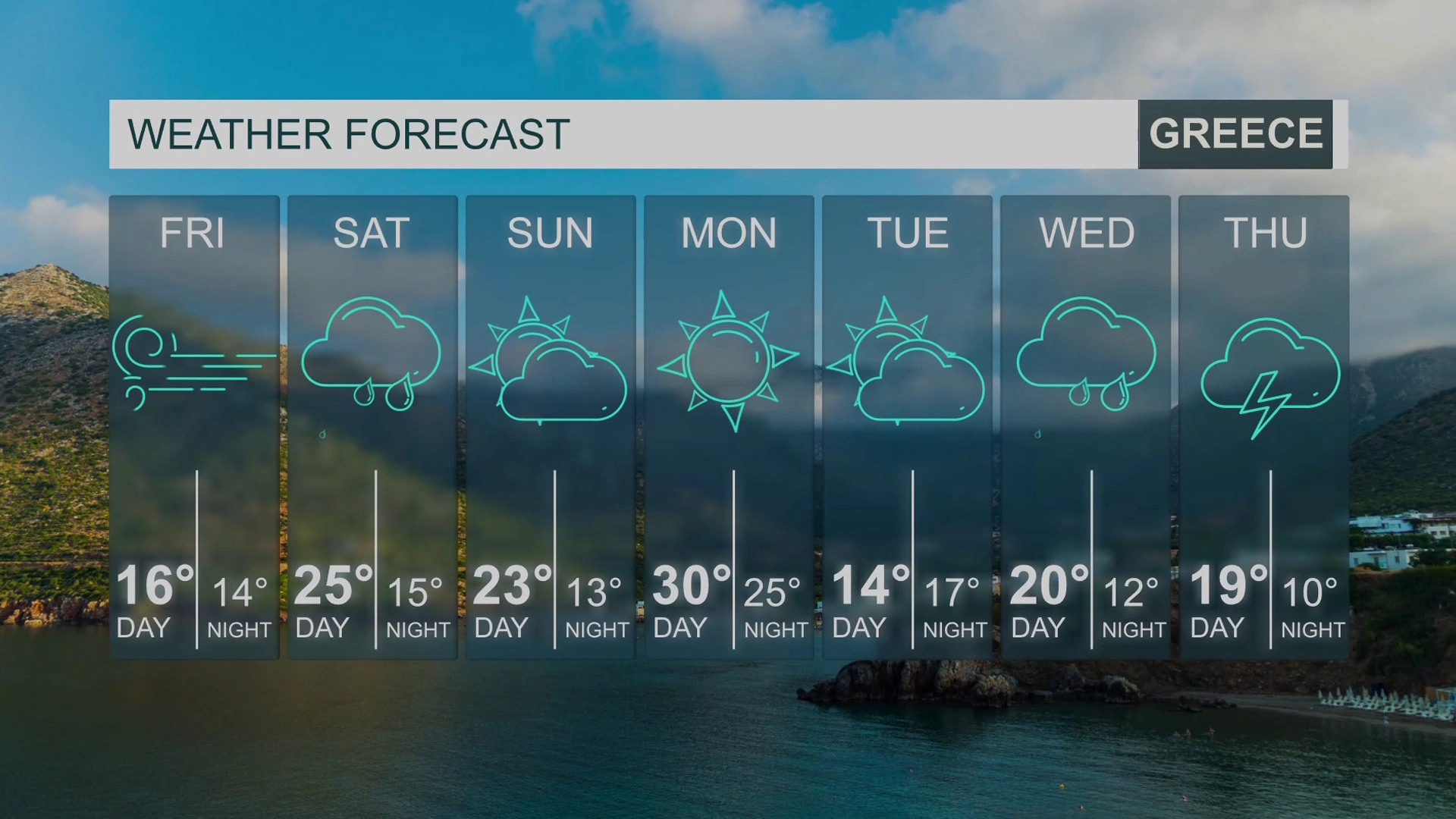
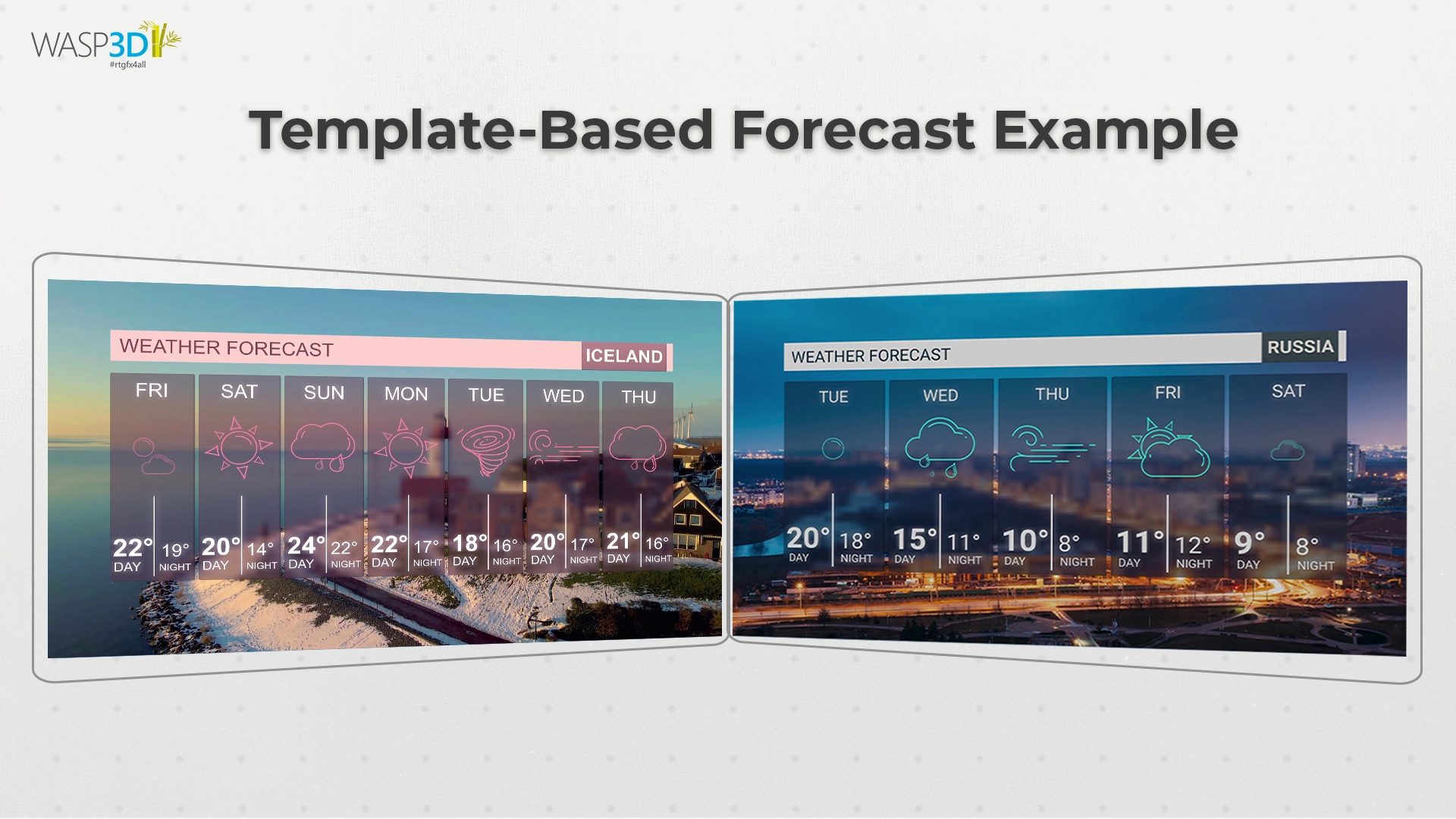
A practical example of this data-driven approach can be seen in template-based forecasting. Instead of creating a new design for every forecast, broadcasters use pre-built templates for common formats such as 5-day or 7-day forecasts. These templates are designed to handle different types of data while maintaining a clean and professional look.
When a new forecast needs to be presented, the user simply updates the data. The template automatically adjusts whether it is a change in temperature, weather condition, or even the number of locations being displayed.
This makes a noticeable difference in day-to-day production. What once required repeated design work can now be handled in a fraction of the time. It also ensures that every forecast looks consistent, regardless of how often the data changes.
Real-World Use: How It All Comes Together
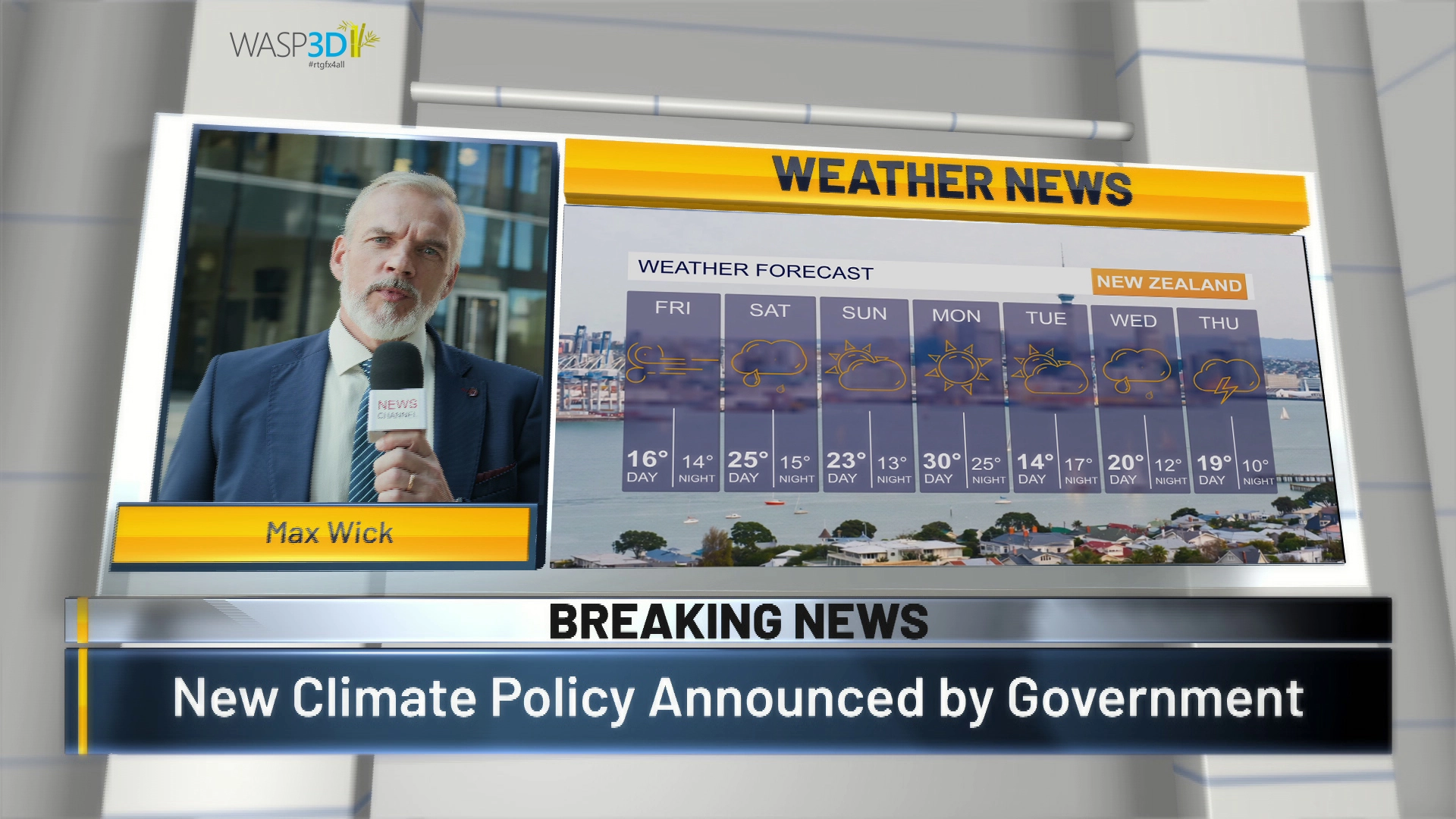
To understand the real value of weather graphics software, consider a typical live broadcast scenario. A news channel covers weather updates across multiple cities. Forecast data is changing throughout the day. At the same time, clips need to be published on social media. With a traditional workflow, this would require constant manual updates and coordination between teams.
With modern weather graphics software, the process becomes much simpler. Templates are already in place. Data updates automatically. Graphics adjust in real time. The same visuals can be used across TV and digital platforms without extra effort.
What once required significant time and resources can now be handled efficiently within a single system.
Conclusion: From Graphics to Workflow Efficiency
Weather graphics are no longer just about presentation. They are about delivering information in a way that is fast, clear, and scalable.
As the demands of broadcasting continue to grow, relying on manual processes is no longer practical. Modern weather graphics software provides a smarter approach by combining design, data, and delivery into a unified workflow.
Solutions like WASP3D Xpress show how this can be achieved in a practical and accessible way. By simplifying both design and data management, they enable teams to focus on what truly matters communicating weather information effectively.
In the end, the goal is not just better graphics. It is a better, more efficient way of working.