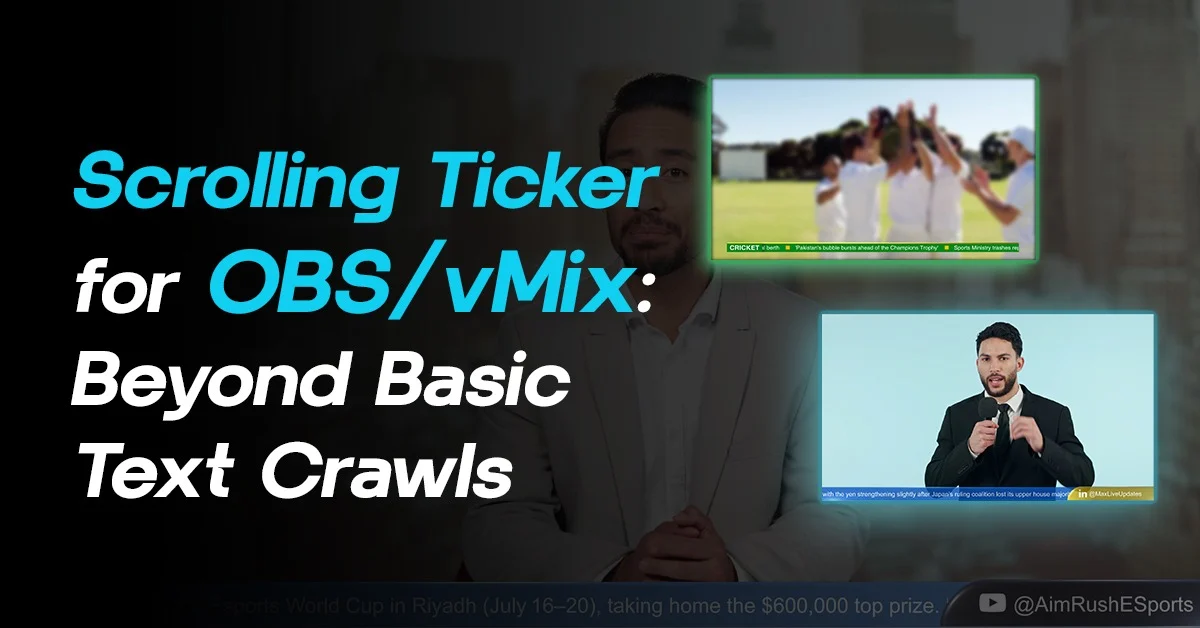
Lower Third Graphics in Live Production
Live Lower third graphics overlay software have become an essential part of modern livestream video production. Whether you are streaming on YouTube Live, Twitch, Facebook Live, OBS Studio, vMix, or producing a professional sports broadcast, lower thirds help display names, headlines, social media handles, scores, sponsor information, and live updates without interrupting the main video. Hence, learning how to create lower third graphics becomes essential.
From sports broadcast graphics and newsroom graphics to church livestreams and esports productions, professional lower thirds improve viewer engagement and make livestream videos look more polished and broadcast ready.
Today’s audiences expect professional livestream graphics similar to what they see on ESPN, FOX Sports, NBC Sports, and modern TV graphics workflows. As a result, creators are increasingly looking for ways to create animated lower thirds, responsive livestream graphics, and real-time broadcast overlays without needing advanced motion graphics expertise.
In this guide, you’ll learn:
- What lower third graphics are
- Different types of lower thirds
- How to create lower third graphics from scratch
- How to create animated lower thirds
- The best software for creating lower thirds
- How professional broadcasters build real-time graphics workflows
Modern broadcasts are faster. They are streamed across television, YouTube, OTT platforms, and social media at the same time. Basically they rely heavily on live data. It is expected to be accurate and smooth without delays.
Because of this shift, lower third graphics are no longer just visual decorations. They have become live operational tools that need flexibility, speed, and reliability.
What are Lower Third Graphics?
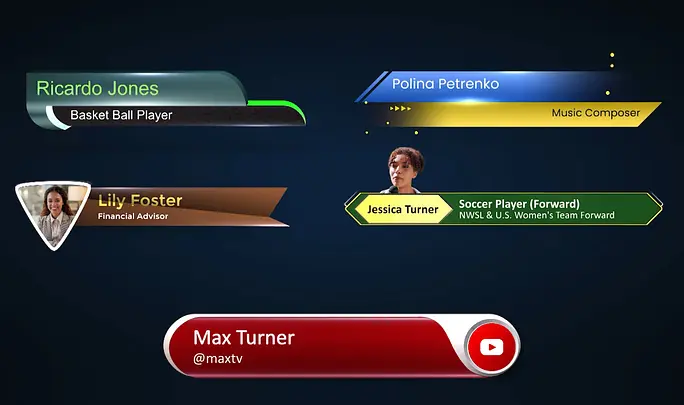
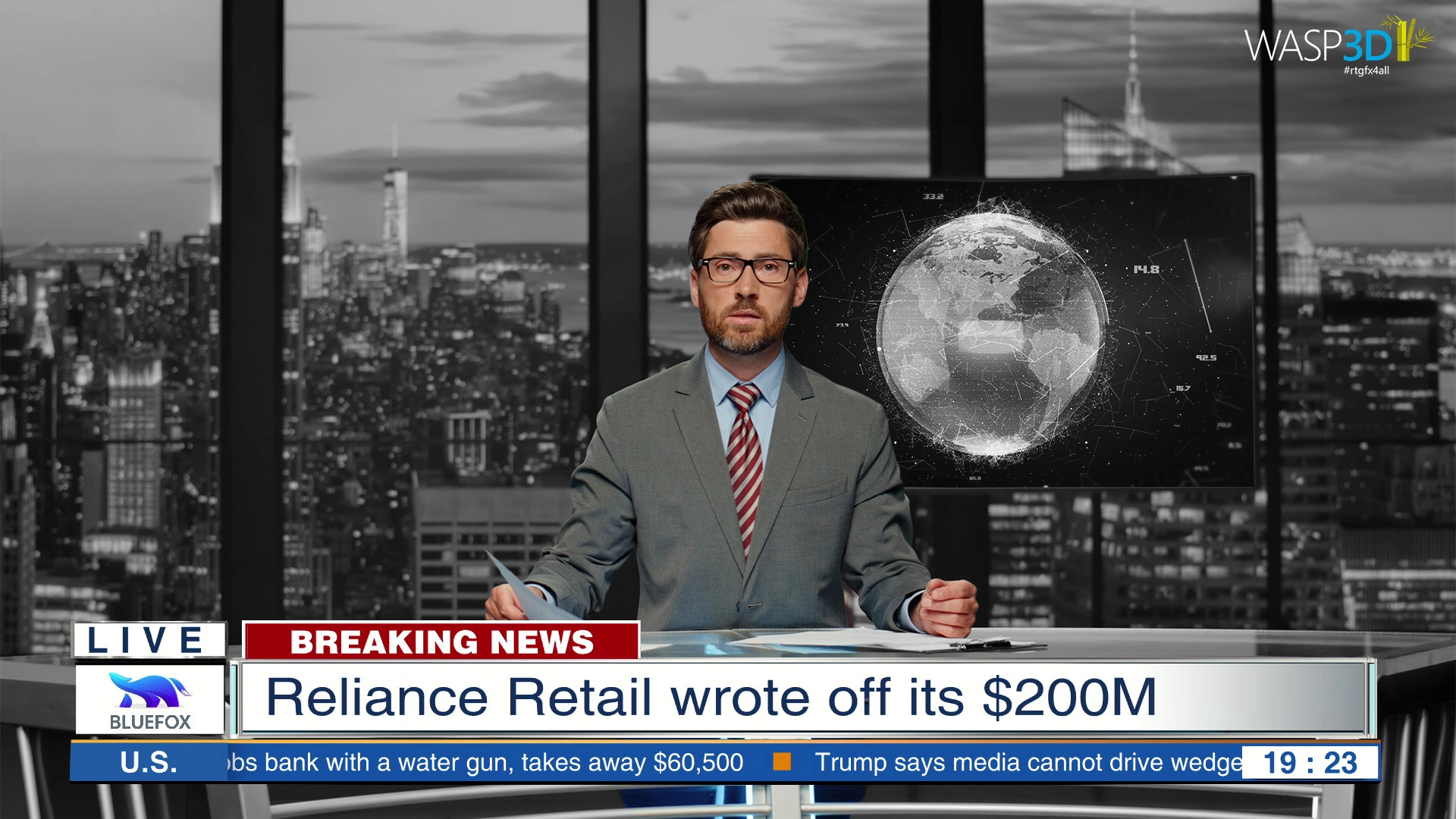
Lower thirds are graphic overlays that appear in the lower portion of a video screen to display information during a livestream, broadcast, interview, news segment, sports event, or online video.
Lower Third Graphics in News Broadcasting
In news broadcasting, lower third graphics are constantly updating. They show breaking headlines, reporter names, live locations, and scrolling tickers. Additionally, news changes minute by minute, so graphics must keep up.
If a headline develops, the lower third must reflect that instantly. Therefore, speed and accuracy become extremely important in news production.
Lower Third Graphics in Sports Broadcasting
In sports broadcasting, lower third graphics are even more dynamic. They display live scores, match timers, team names, and player statistics.
Moreover, these graphics are often connected directly to scoring systems so updates happen automatically. As a result, viewers receive real-time information without delay.
Lower Third Graphics for Esports Production
Esports production brings another level of intensity. Matches move quickly, statistics update constantly, and streams can run for hours.
Because of this, lower thirds must remain stable and smooth throughout the entire broadcast. Performance matters just as much as visual design.
Church Lower Third Graphics
Church lower third graphics are designed for worship services, online prayer meetings, and live church productions.
For example, these graphics may include sermon titles, Bible verses, worship lyrics, speaker names, and event announcements.
Corporate Event Lower Third Graphics
Corporate events and conferences use lower thirds differently. They commonly display speaker names, job titles, company branding, and session topics.
Additionally, professional lower thirds help maintain a polished and organized presentation style.
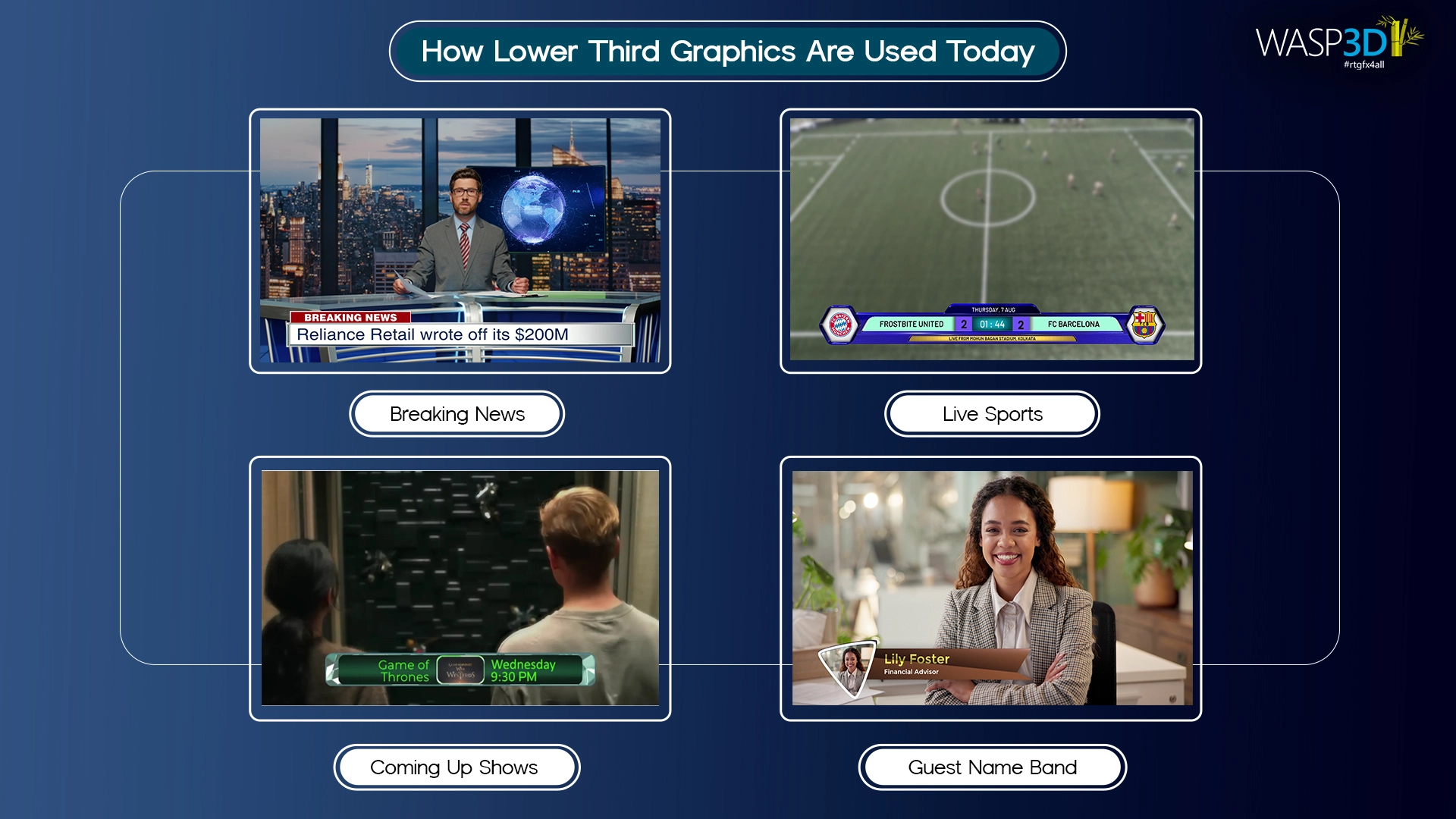
Even digital creators and live streamers use lower thirds regularly. They introduce guests, show social media handles, or display calls to action. The scale may be smaller than television, but the need for quick edits and professional presentation remains the same.
Across all these formats, one thing is clear. Lower third graphics are active tools in live production. They are not just static design pieces placed on screen.
Best Tool for Live Lower Third Graphic Software
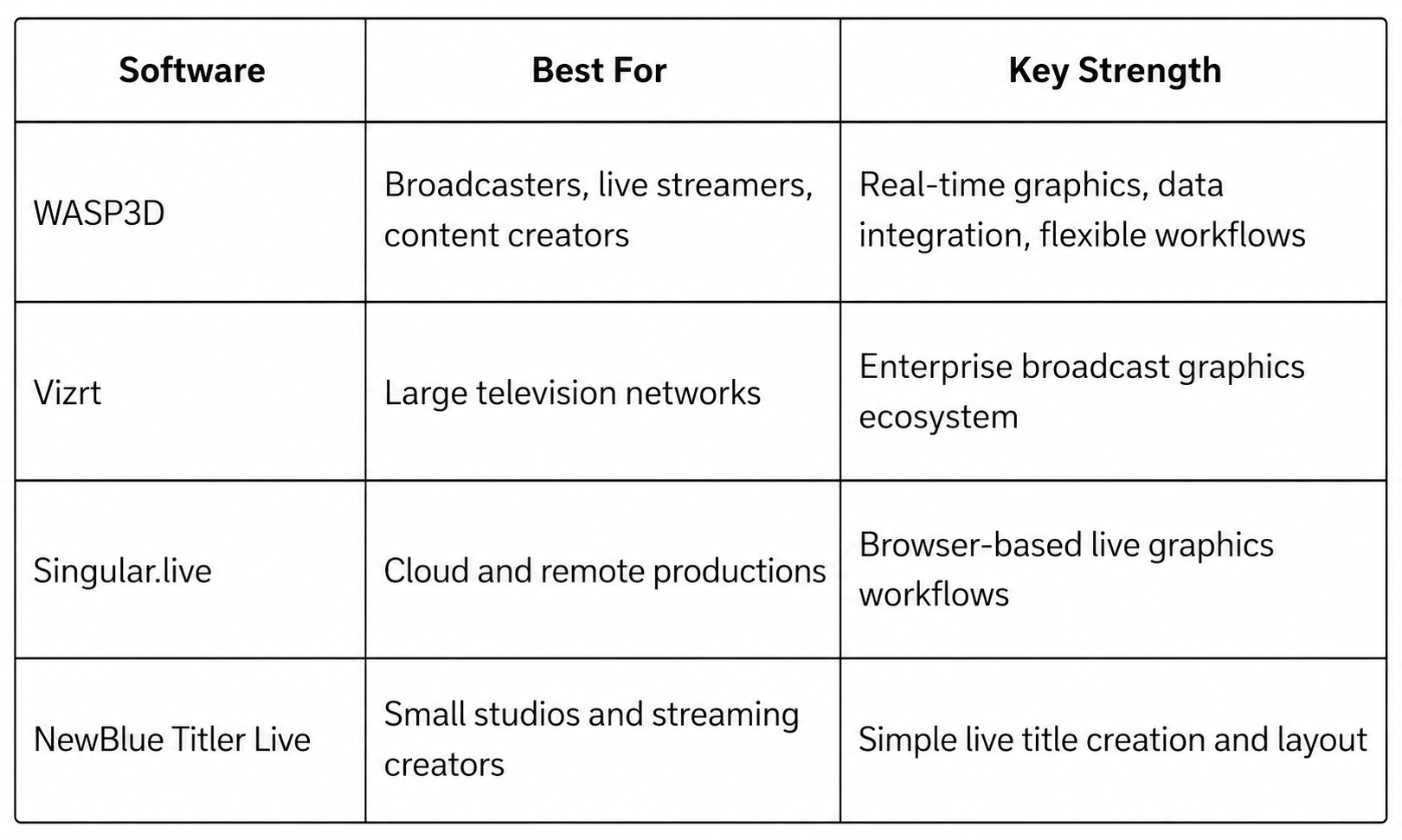
Modern broadcasts no longer rely on static title graphics alone. Today’s productions need lower thirds graphic overlays that update instantly, connect with live data, and stay reliable throughout long streaming sessions. This has increased the demand for real-time graphics solutions that go beyond traditional design workflows.
Some of the most commonly used live lower third graphic software platforms include:
Why Traditional Lower Third Workflows Are No Longer Enough
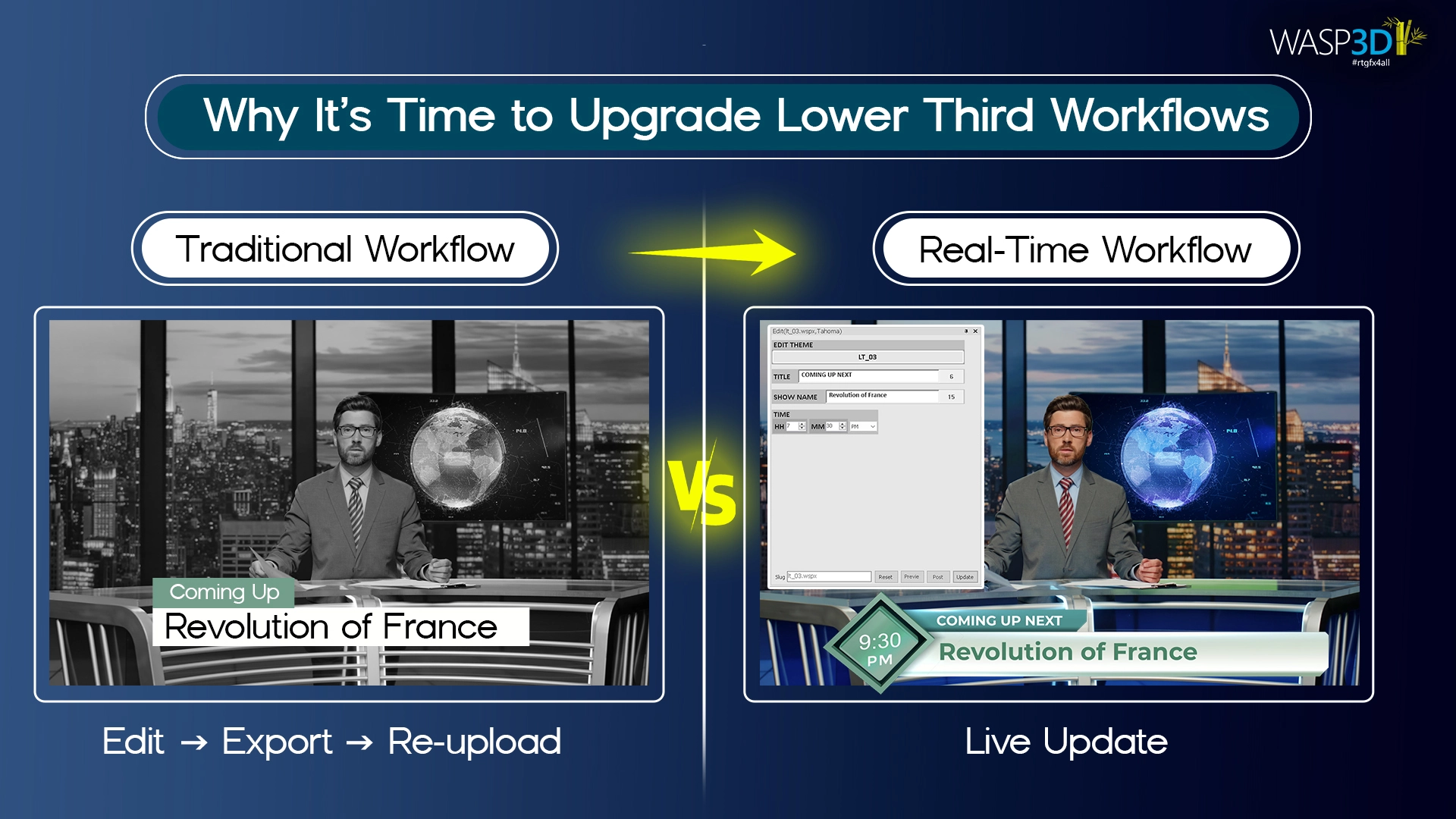
Traditional lower third workflows were designed for slower production environments. Designers created graphic overlay manually, exported templates or video files, and operators triggered them during the live show.
This approach still works for very basic productions, but modern broadcasts move much faster.
During a live sports event, election coverage, news broadcast, podcast, or livestream, information changes constantly:
- Scores update every few seconds
- Speaker names change frequently
- Social feeds refresh live
- Polls and statistics keep evolving
- Sponsors and schedules rotate dynamically
With traditional workflows, every small update often requires manual editing, exporting, or operator intervention. This increases:
- Delay in updates
- Risk of typing mistakes
- Operator workload
- Pressure during live production
As productions become more data-driven, teams need graphics systems that can react instantly instead of relying on static templates.
What Modern Lower Third Systems Need
A modern lower third graphics solution should help production teams:
- Update text instantly during live shows
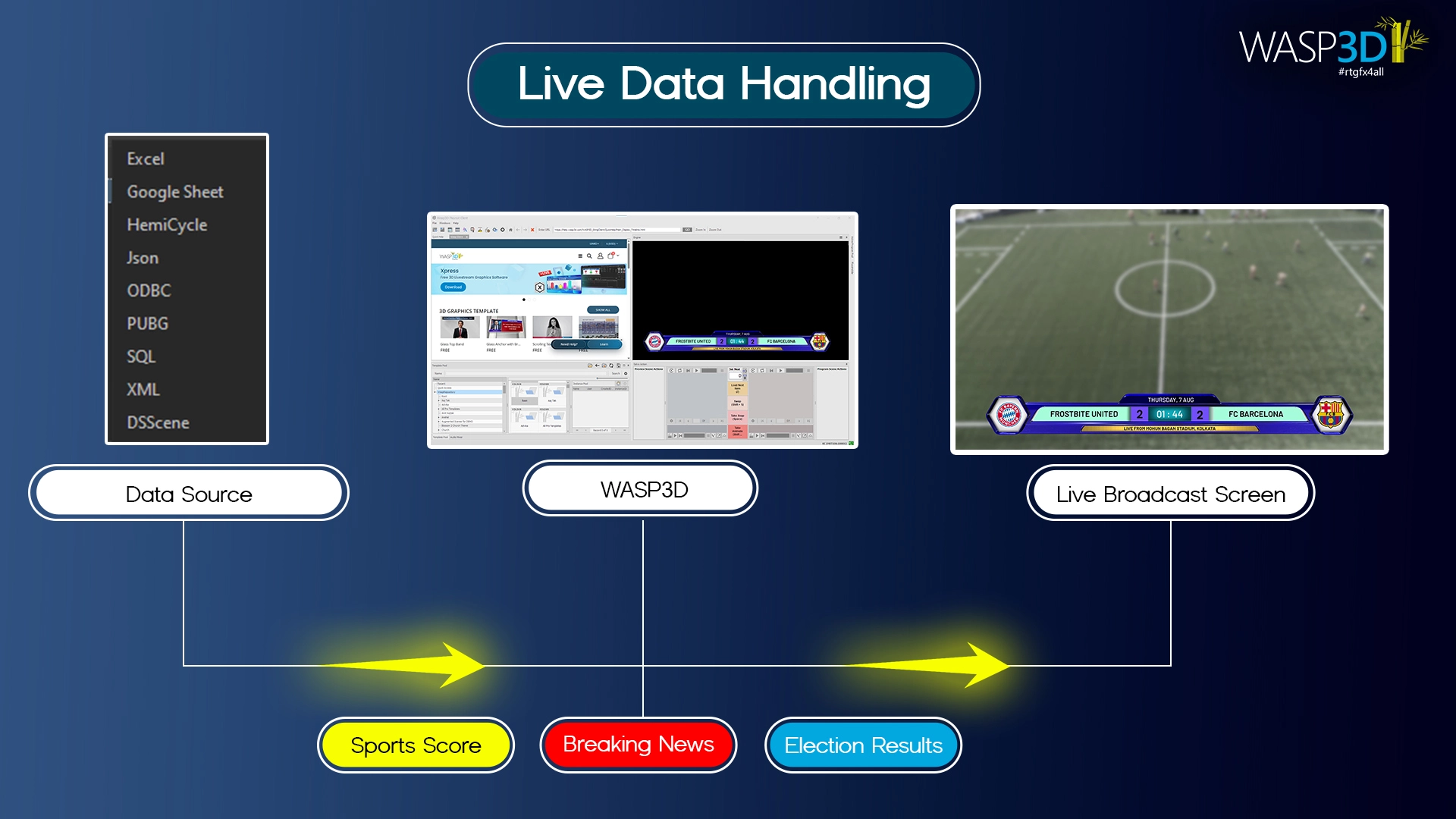
- Connect directly with spreadsheets, APIs, or live feed
- Automate repetitive graphic updates
- Maintain stable performance during long productions
- Reduce dependency on constant redesign and re-exporting
This is where real-time graphics engines become important.
Why Teams Use WASP3D Xpress to Create LowerThird Graphics
However, modern real-time graphic overlay solutions, many production teams look for a balance between professional broadcast capabilities and workflow simplicity.
WASP3D Xpress focuses strongly on real-time operation rather than static graphic creation alone. Instead of repeatedly exporting files, teams can update lower thirds dynamically while the production is live.
Some practical advantages include:
- Real-time editable graphics
- Integration with live data sources with an upgraded version
- Flexible layout-based workflows
- Support for livestreams, broadcasts, and virtual productions
- Reduced dependency on repeated manual exports
For teams moving away from traditional lower third workflows, this type of setup helps simplify operations while improving speed and consistency during live productions.
How to Create LowerThird Graphics for Live Video
Creating professional lower third graphics no longer requires advanced motion graphics expertise or expensive broadcast design teams. Today, creators can build professional livestream graphics, stream overlays, and animated lower thirds using beginner-friendly software designed specifically for live production workflows.
One of the best live lower third software solutions for livestream creators, sports broadcasters, churches, news productions, and TV graphics workflows is WASP3D Xpress
Xpress is designed to help users create professional lower thirds, livestream graphics, sports broadcast graphics, church overlays, and newsroom graphics without requiring advanced design skills.
A major advantage of Xpress is access to store.wasp3d.com, where users can explore a wide collection of professionally designed lower third videos template.
For users who want complete creative control, Xpress also includes its own built-in Designer. The Designer allows creators to build fully customized lower third graphics from scratch using an easy visual workflow, even without prior motion graphics experience.
Using the built-in Designer, users can create:
- Fonts
- Colors
- Text animations
- Shapes
- Logos
- Backgrounds
- Motion graphics transitions
- Real-time graphics elements
Here is a quick video tutorial to learn How to create a lower third using Xpress.
This makes Xpress an ideal lower third maker for both beginners and professional broadcast production teams.
Animated lower thirds are widely used in sports broadcast graphics because they create a dynamic viewing experience. To create animated lower thirds:
- Design the base graphic
- Add motion graphics transitions
- Animate text layers
- Integrate into livestream software like OBS, vMix and more
Advanced broadcast graphics systems can also connect with live data feeds for automatic score updates and real-time graphics rendering during sports broadcasts.
Features like automatic resizing, responsive layouts, and real-time text adaptation make Xpress highly effective for professional livestream graphics and modern broadcast production workflows.
Best Lower Third Design Tips
To create lower thirds professionally, keep them visually clean, readable, and optimized for livestream viewing.
Keep Text Short
Avoid overcrowding your lower third with too much information.
Use Readable Fonts
Sans-serif fonts work best for livestream graphics and TV production workflows.
Maintain Safe Margins
Always leave proper spacing around the edges of the screen to ensure graphics remain visible across devices.
Use Brand Colors
Consistent colors help strengthen your livestream branding.
Avoid Excessive Animation
Too many transitions can distract viewers during livestreams.
Optimize for Mobile Viewers
Many livestream viewers watch on smartphones, so graphics should remain readable on smaller screens.
How WASP3D Supports Professional & Modern Lower Third Graphics for your video
Moreover, WASP3D is designed specifically for live broadcast graphics. Instead of treating lower thirds as static files, it treats them as dynamic systems.
Designers build structured graphic overlay inside the engine. Text, background shapes, logos, and design accents are created as separate elements. Because they are structured, operators can update text safely without disturbing layout or animation.
WASP3D also allows integration with live data sources. This means sports scores, election results, financial data, or news feeds can be connected directly to the graphics system. When the data changes, the lower third updates automatically.
The engine uses GPU-based rendering, which ensures smooth animation and consistent performance during live shows. Even long broadcasts remain stable.
WASP3D integrates with tools such as OBS Studio and vMix, as well as traditional broadcast workflows. This makes it suitable for television studios, streaming setups, and hybrid productions.
FAQs
1. What is a lower third graphic for your video?
Therefore, A lower third graphic is a visual overlay displayed in the bottom section of a live video to show information such as names, scores, headlines, or social media handles.
2. How does a lower third graphic work in real time during a live broadcast video?
A modern lower third graphic works through a live graphics system instead of a fixed video file. As a result, you can edit the text, animations, and design elements even while the broadcast is live.
Additionally, you can update names, scores, and headlines instantly without re-exporting files. In advanced setups, the lower third graphic can also connect directly to live data so updates happen automatically.
3. How can a lower third graphic connect to live sports or news data?
A data-based lower third graphic can connect to scoring systems, spreadsheets, or news feeds using WASP3D PRO. Because of this, the graphic updates automatically whenever the data changes.
Moreover, this reduces manual typing and minimizes mistakes during live production. Therefore, real-time graphics engines make the workflow smoother and more reliable.
4. Which is the best live lower third software for video?
Popular live lower third software includes WASP3D Xpress, Adobe After Effects, Canva, Photoshop, OBS Studio, vMix.
5. How do I add lower thirds in OBS?
You can add lower thirds in OBS Studio using browser sources, or media sources.
6. Can you recommend tools or websites to design custom lower third graphics?
Therefore, For livestreams, broadcast productions, OBS, and vMix workflows, WASP3D Xpress is a great solution for creating customizable lower thirds, real-time graphics, and animated broadcast templates.