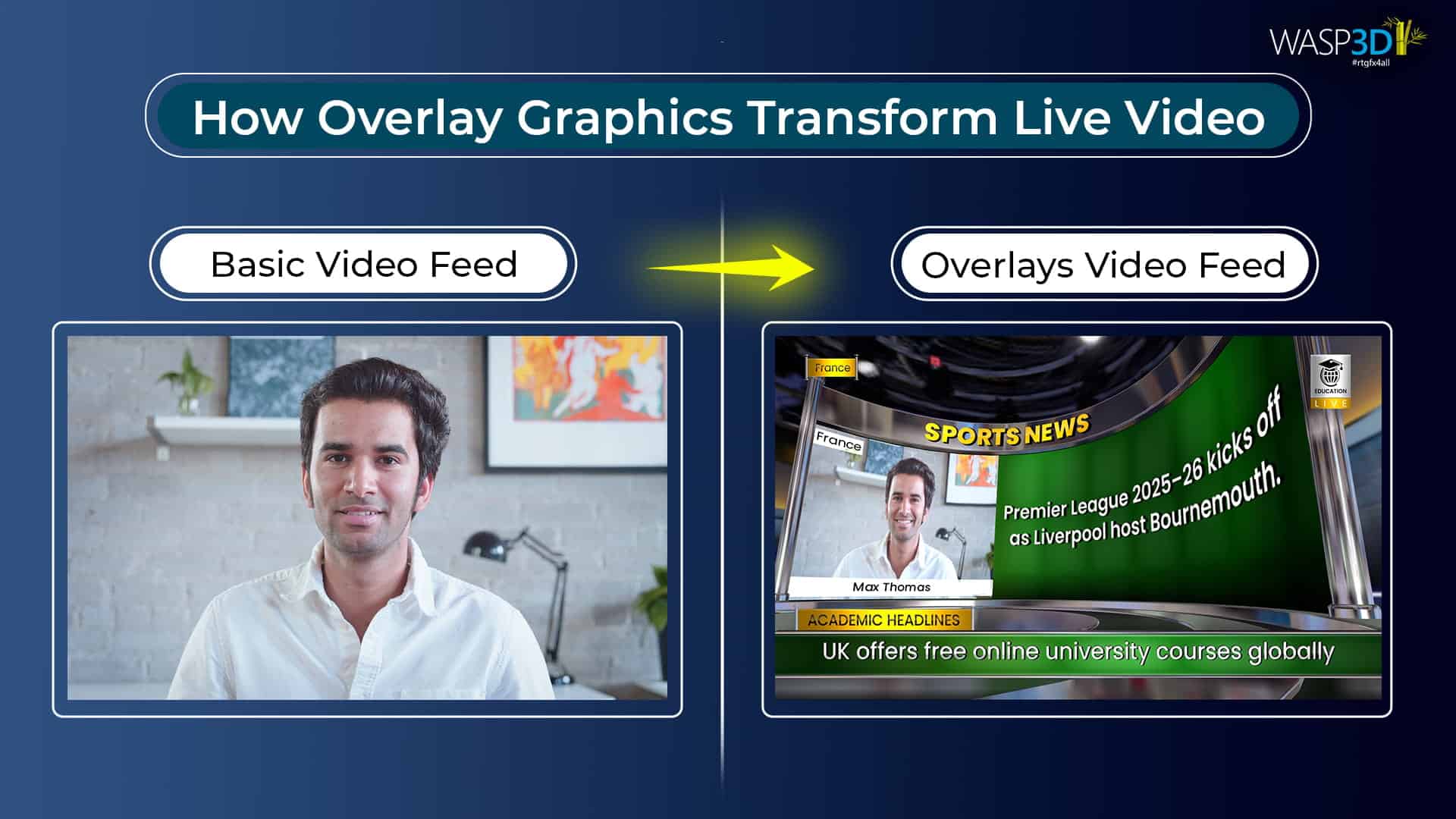
Live video production has changed a lot in recent years. Today, viewers expect more than just a simple video stream. Whether people are watching news, sports matches, esports tournaments, corporate webinars, or election coverage, they expect professional visuals that provide clear information on the screen.
For example, when you see the name of a news anchor appear at the bottom of the screen, a cricket score updating during a match or a breaking news ticker moving across the screen, these graphics are not part of the video itself. They are added on top of the video using overlay software.
Overlay software helps streamers and production teams add graphics, text, logos, timers, and other visual elements to a live or recorded video. These elements make the live streaming look more professional and help viewers understand what is happening.
In this guide, we will explain what overlay software is, how it works in live production, the types of overlays used in live streaming, and how modern tools make it easier to manage live graphics.
Why Overlay Software Is Important in Modern Broadcasting
In the past, broadcast graphics were mostly static images. Designers created graphics using design software and exported them as images. If something needed to change during a live broadcast, the designer had to edit the graphic again and export a new version. This process was slow and not practical for live events where information changes quickly.
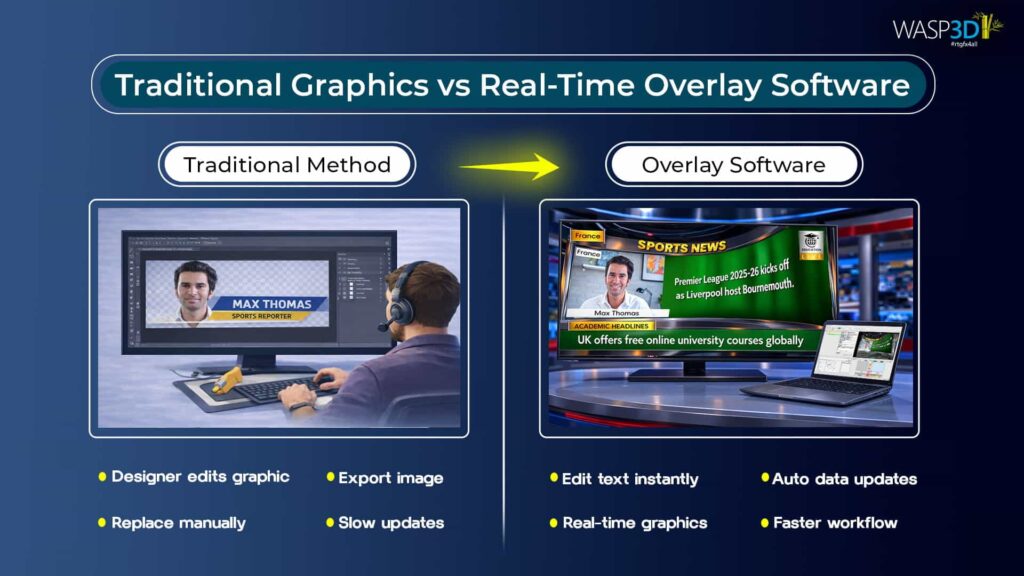
Today, live production requires instant updates. Sports matches need scores to be updated in real time. News channels constantly show headlines and lower thirds. Election coverage depends on live data updates. Corporate events often display speaker names and company branding.
Overlay software solves this problem by allowing production teams to update graphics instantly while the video continues to play. Instead of creating new graphics every time something changes, operators can simply edit the information directly in the system. This makes the entire production process faster and more efficient.
What is Overlay Software?
Overlay software is a system that adds visual graphics on top of a video feed. These graphics can include text, titles, logos, scoreboards, timers, or other information that appears on screen during a broadcast.
In a professional broadcast setup, overlay software usually includes three important parts. The first is a graphics engine that creates and displays visuals. The second is a control system that allows operators to trigger graphics during a live broadcast. The third is a data connection system that allows graphics to update automatically using information from spreadsheets or other sources.
The biggest advantage of overlay software is that it works in real time. This means operators can change information instantly without stopping the video.
Since you have plenty of choices available (both free and paid) for different livestream overlay software, it is crucial to decide which one suits you the best.
Main Components of Professional Overlay Software
1. Graphics rendering engine
This engine creates the visuals that appear on screen. Some systems support simple two-dimensional graphics, while others can create more advanced three-dimensional graphics with lighting and textures.
2. The template system
Designers create templates that define the design of a graphic. Operators can then change the text or numbers inside the template without modifying the design itself. This helps maintain a consistent look during a broadcast.
3. Data integration
These features allow the system to connect with data sources like spreadsheets, APIs, or sports scoring systems. When the data changes, the graphic updates automatically.
Finally, the playout control system allows operators to manage when graphics appear on screen. Most systems include a preview and program workflow, so operators can check graphics before sending them live.
Common Types of Overlays Used in Broadcasting

Different types of broadcasts use different kinds of overlays. One of the most common overlays is the lower third, which usually appears at the bottom of the screen and shows a person’s name or title.
● News channels often use tickers or scrollers to display headlines or break news updates.
● Sports broadcasts rely heavily on scoreboards and timers to show match progress and statistics.
● Election coverage may include dashboards that display voting results in real time.
Broadcasters also use branding elements like logos or name bands to maintain their channel identity. In some advanced productions, broadcasters use three-dimensional graphics to create a more visually engaging presentation.
How Overlay Software Works in a Live Production Setup
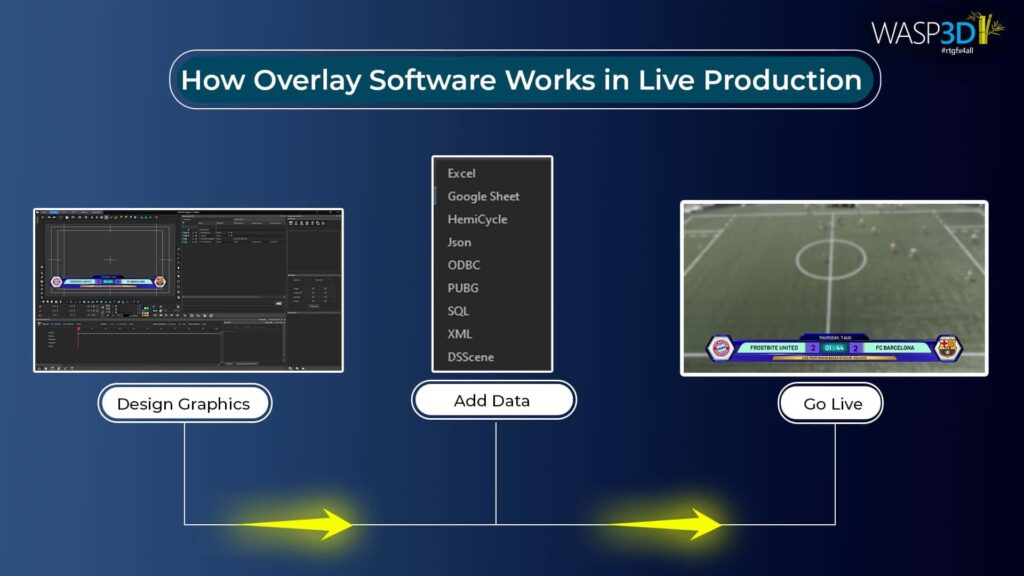
First, designers create graphic templates that define how the graphics will look. These templates may include animations, colors, and layout designs.
Next, the templates are connected to data sources so that the information displayed inside them can change easily. For example, a sports scoreboard template may be connected to a spreadsheet that updates the score.
Before the broadcast starts, operators preview the graphics to make sure everything appears correctly. When the broadcast goes live, the operator can trigger the graphic with a single click.
One of the biggest advantages of overlay software is that changes can be made instantly. If a score changes or a name needs correction, the operator can update it in real time without stopping the broadcast.
Overlay systems can also work with popular live production tools such as OBS Studio and vMix. This allows graphics to be used in both streaming setups and professional broadcast environments.
Overlay Software vs Streaming Overlays
Many content creators use streaming overlays for platforms like Twitch or YouTube. These overlays are usually simple graphics that are placed on top of the video. There are sites like store.wasp3d.com where you can download professional quality overlays for free.
However, professional overlay software is much more powerful as brands require more than just overlays. They need their own branding.
Professional overlay software like WASP3D Xpress uses powerful graphics engines that render visuals in real time, that too for free. These systems can connect to structured data sources and allow operators to manage graphics with more precision.
Because of these capabilities, professional overlay software is widely used in television studios, sports broadcasting, and large live events.
Problems Broadcasters Face Without Overlay Software
Without live overlay software, production teams often rely on manual graphics workflows. Designers must create and export graphics every time something changes.
This process is slow and increases the risk of errors during live broadcasts. It also makes it difficult to handle real-time data such as sports scores or election results. Overlay software removes these problems by allowing operators to update graphics quickly and automatically.
Choosing the Right Overlay Software
Different types of production require different overlay capabilities. News broadcasters need systems that allow fast updates for headlines and breaking news. Sports production teams need scoreboards and statistics that update instantly.
Esports broadcasts often require animated graphics and sponsor branding, while corporate events need to clean lower thirds that identify speakers and display company branding.
When selecting overlay software, it is important to consider how easy the system is to use, how well it integrates with existing production tools, and how reliably it performs during live broadcasts.
How Xpress Simplifies Real-Time Broadcast Graphics
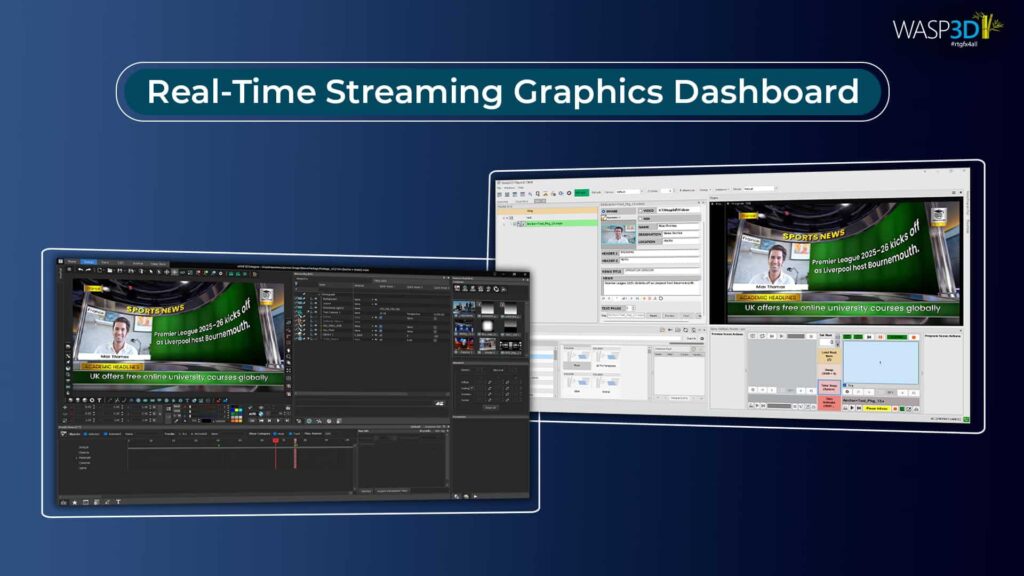
Many modern production teams are looking for overlay tools that are powerful but easy to use. One such solution is Xpress, a free 3D livestream overlay software designed for broadcasters and live event producers.
1. Designer
Xpress includes a built-in graphics designer that allows users to create three-dimensional graphics using shapes, textures, and materials. Because the system uses a no-code interface, users do not need advanced design skills to create professional visuals.
2. Playlist Manager
The platform also includes a playlist manager that helps operators organize graphics during live production. Content management forms allow quick editing of text and other information while the broadcast is running.
3. Data Entry
Another useful feature is the User Defined Tables system, which works like a spreadsheet and allows teams to manage large sets of data such as player lists or election results.
4. Responsive Graphics
Xpress also offers responsive templates that automatically adjust when multiple graphics appear on screen.
5. Readymade Livestream Graphics
Combined with ready-made templates (store.wasp3d.com) and watermark-free output, this makes it easier for broadcasters to produce professional graphics without complex setup.
Future Trends in Overlay Software
Broadcast graphics technology continues to evolve as production workflows become more digital and automated. Many broadcasters are now moving toward cloud-based production systems that allow graphics to be managed remotely. Augmented reality and virtual sets are also becoming more common in modern studios.
At the same time, data-driven broadcasting is growing rapidly. Sports analytics, financial updates, and election results are increasingly integrated into live graphics systems like WASP3D Pro. As these trends continue, overlay software will remain a key part of modern broadcasting and live event production.
Conclusion
Overlay software has become an essential tool for modern broadcasting. It allows production teams to add graphics, text, and real-time information to video streams while the broadcast is running. Combining real-time graphics rendering, data integration, and simple control systems, overlay software helps broadcasters create professional-looking productions more efficiently.
As viewer expectations continue to grow, having the ability to manage live graphics quickly and accurately is more important than ever. Tools like Xpress make it easier for broadcasters and content creators to produce high-quality overlays without complicated workflows.